

Step 1: Configure Your Strategy
Navigate to Search Strategy from your project dashboard.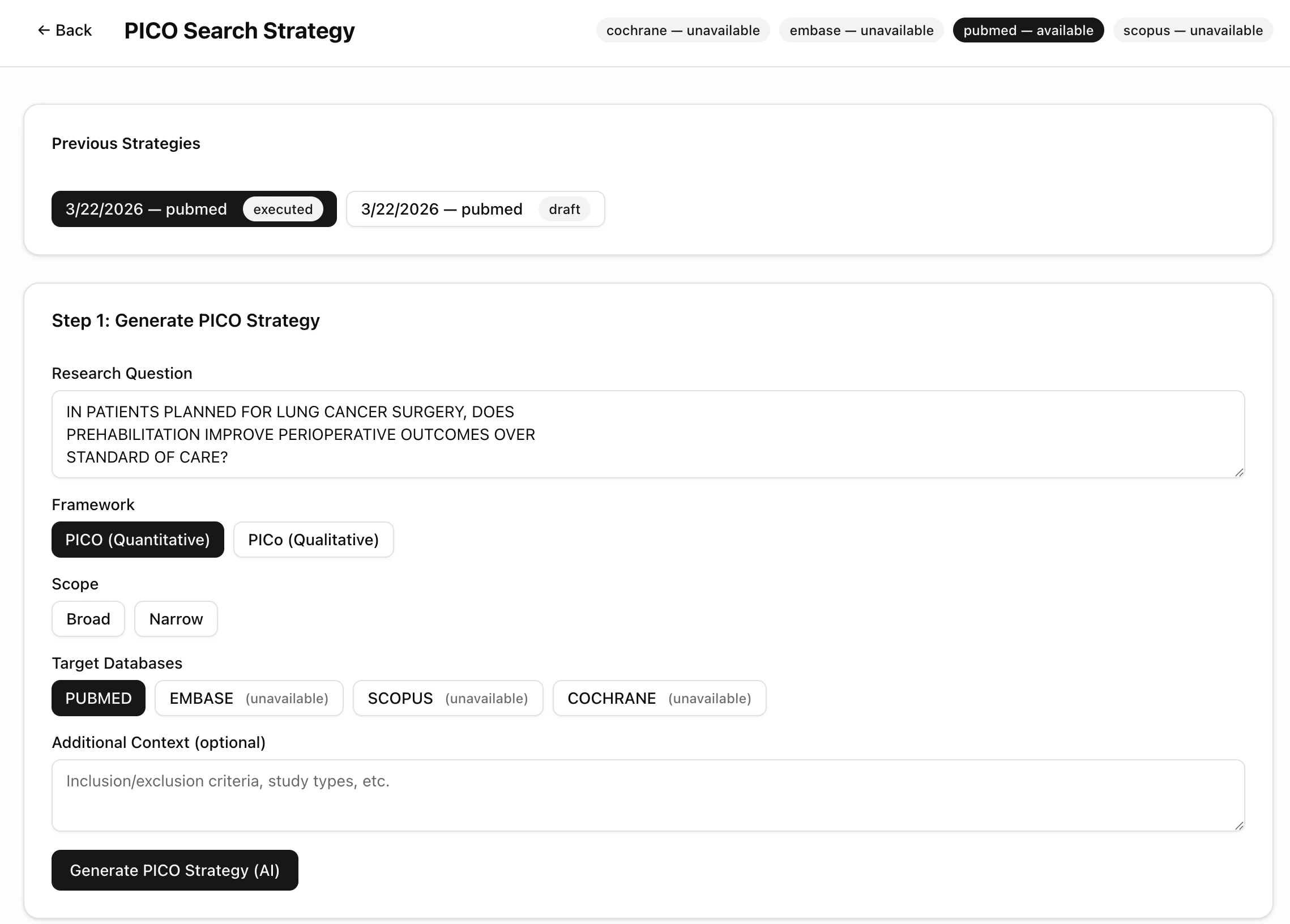
Settings
PubMed is available on all plans. EMBASE, Scopus, and Cochrane require API keys configured in Settings.
Previous Strategies
You can generate multiple strategies and compare them. Each strategy is saved with its date, database, and status (draft or executed). Click Generate PICO Strategy (AI) to run the AI decomposition.Step 2: Review PICO Decomposition
The AI breaks your research question into structured PICO components, each with suggested search terms.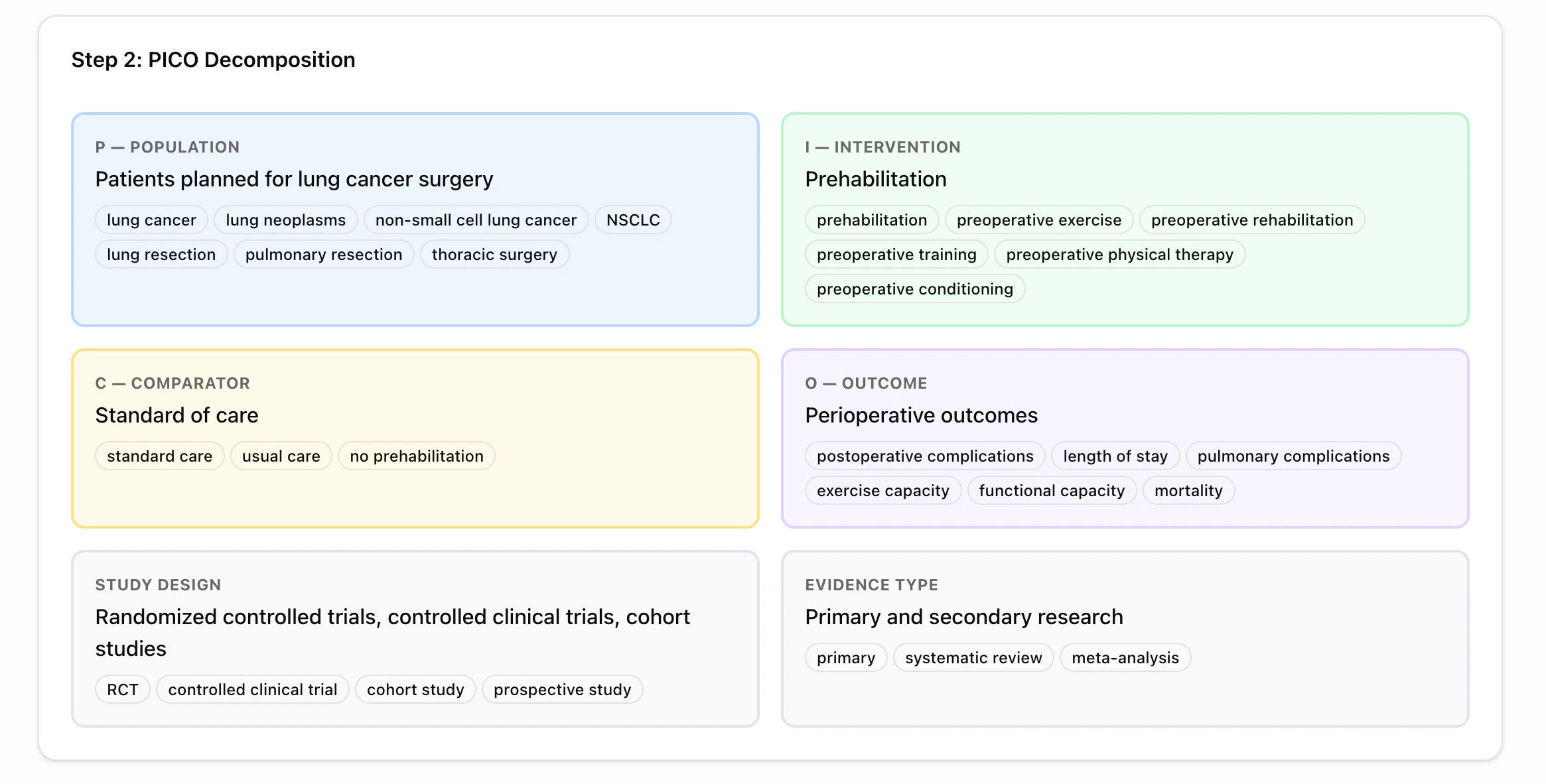
What You Get
P — Population
Who is being studied? Includes MeSH terms and free-text synonyms.Example: “Patients planned for lung cancer surgery” → lung cancer, lung neoplasms, NSCLC, thoracic surgery
I — Intervention
What treatment or action is being applied?Example: “Prehabilitation” → preoperative exercise, preoperative rehabilitation, preoperative conditioning
C — Comparator
What is it compared against?Example: “Standard of care” → usual care, no prehabilitation
O — Outcome
What is being measured?Example: “Perioperative outcomes” → postoperative complications, length of stay, mortality
- Study Design — RCTs, controlled clinical trials, cohort studies
- Evidence Type — Primary research, systematic reviews, meta-analyses
Step 3: Review & Edit Queries
The AI generates database-specific boolean queries for each PICO element and a combined query.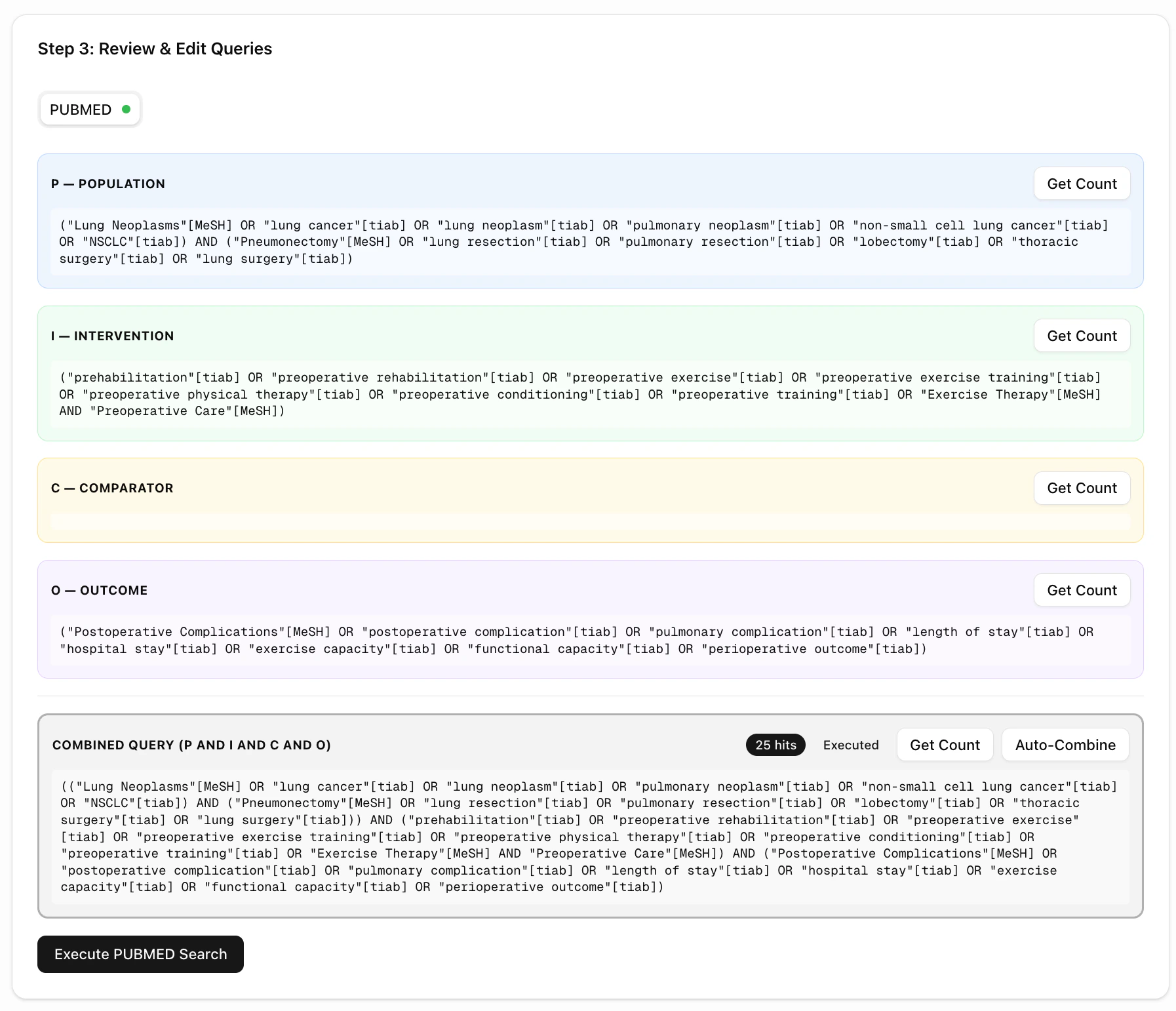
Per-Element Queries
Each PICO element has its own query panel showing:- Boolean query with MeSH terms (for PubMed) or free-text terms
- Get Count button — preview how many results each element returns
- Editable text — modify queries before executing
Combined Query
At the bottom, the Combined Query merges all elements usingAND logic:
- Click Get Count to preview total hits
- Click Auto-Combine to regenerate the combined query from current elements
- Edit the combined query directly
Execute the Search
Click Execute PUBMED Search to run the query and import results directly into your project.The hit count badge (e.g., “25 hits”) shows how many papers matched. Papers are imported with full metadata: title, authors, journal, year, DOI, and abstract.