

Step 1: Full Paper Download
Navigate to Full Paper Download from your project dashboard.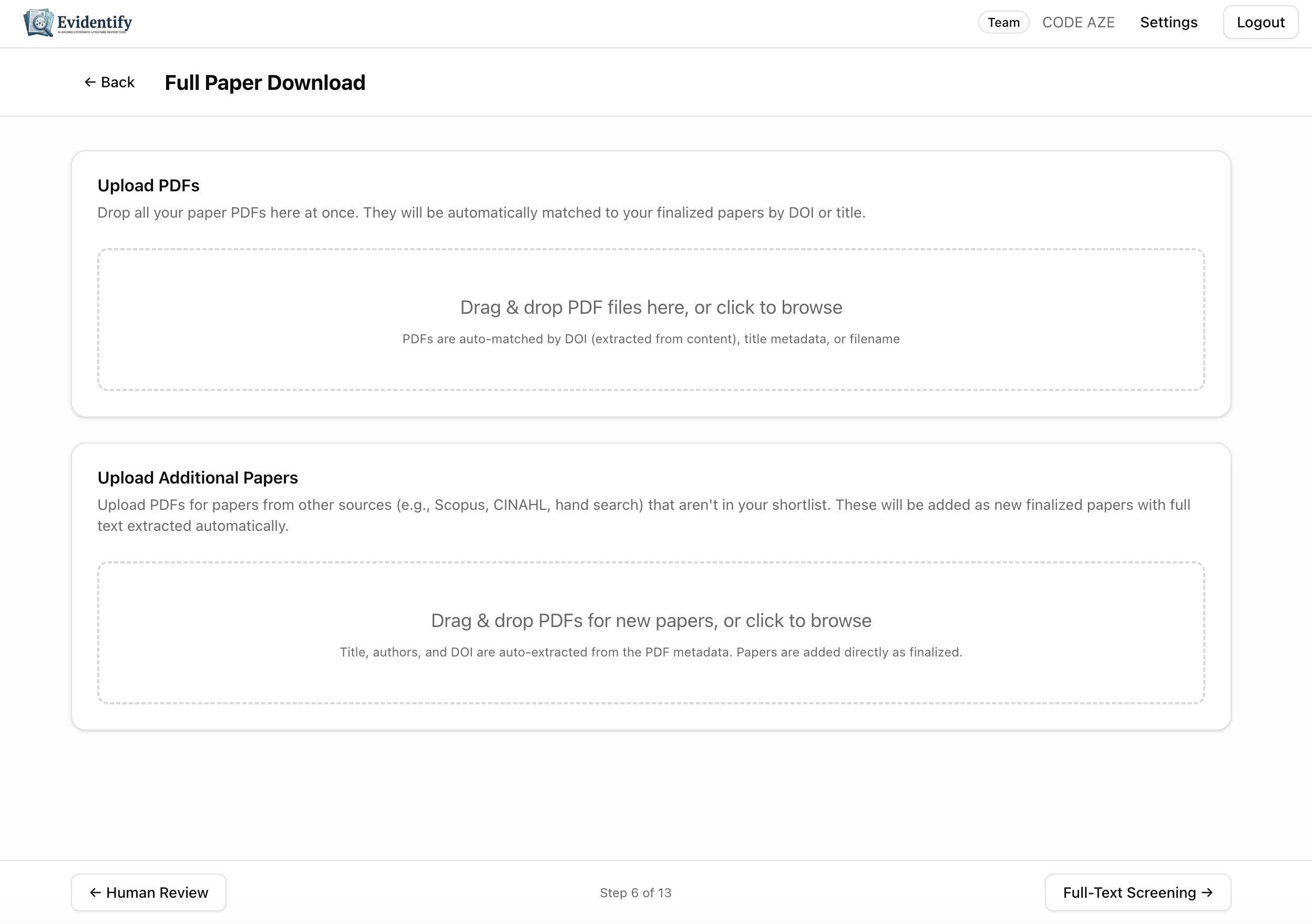
Upload PDFs
Two upload zones are available:Upload PDFs for Existing Papers
Drag and drop PDFs for papers already in your shortlist. EviSyn auto-matches PDFs to papers by DOI, title, or filename.
Upload Additional Papers
Upload PDFs for papers from other sources (e.g., hand search, Scopus, CINAHL). These are added as new finalized papers with metadata auto-extracted from the PDF.
Automatic Retrieval
EviSyn also attempts to retrieve PDFs automatically from:Step 2: Full-Text Screening
Navigate to Full-Text Screening — the AI reads each complete paper and evaluates relevance.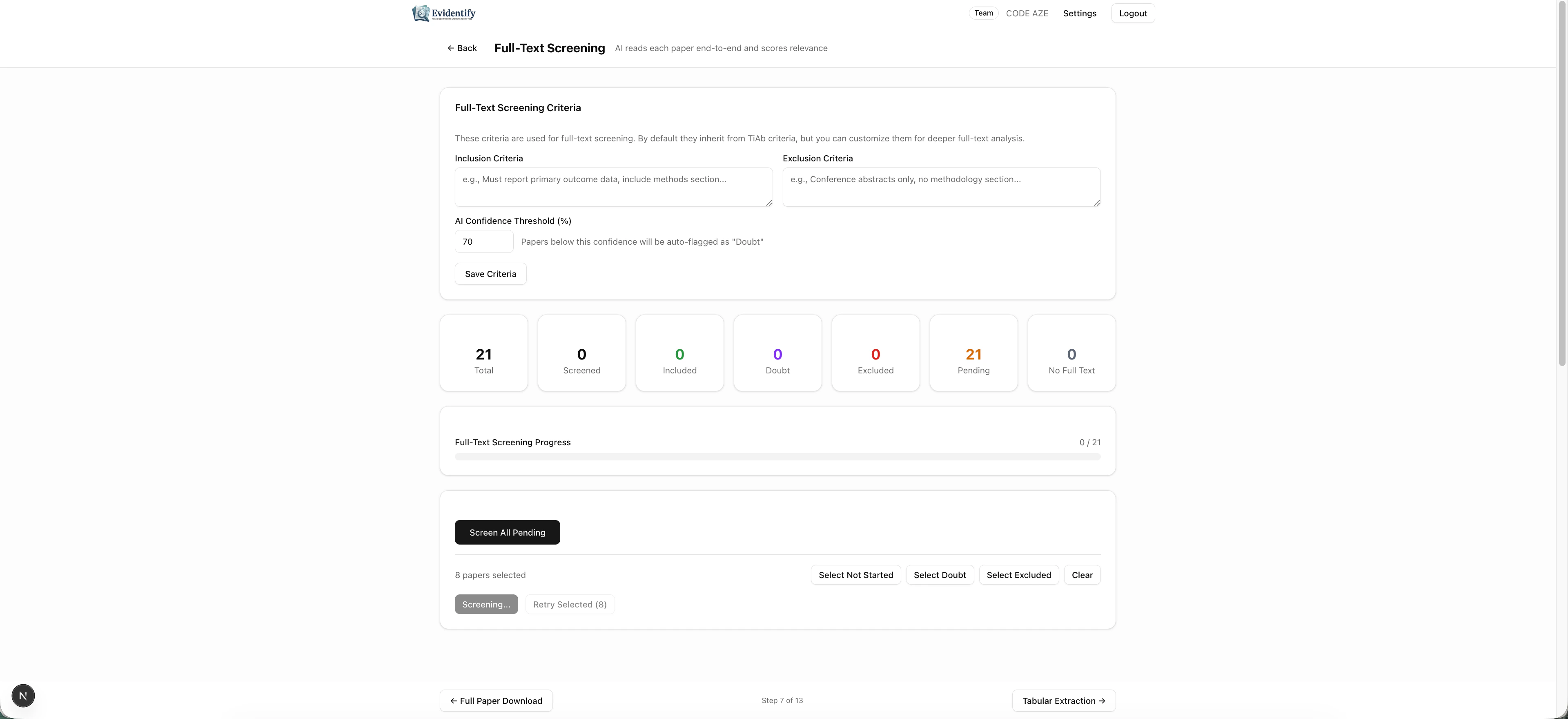
Configuration
Like TiAb screening, you can customize:- Inclusion Criteria — defaults inherited from TiAb criteria, editable for deeper analysis
- Exclusion Criteria — specific to full-text evaluation
- AI Confidence Threshold — papers below this score are flagged as “Doubt”
Stats Dashboard
Screening Controls
- Screen All Pending — Run AI screening on all papers with available full text
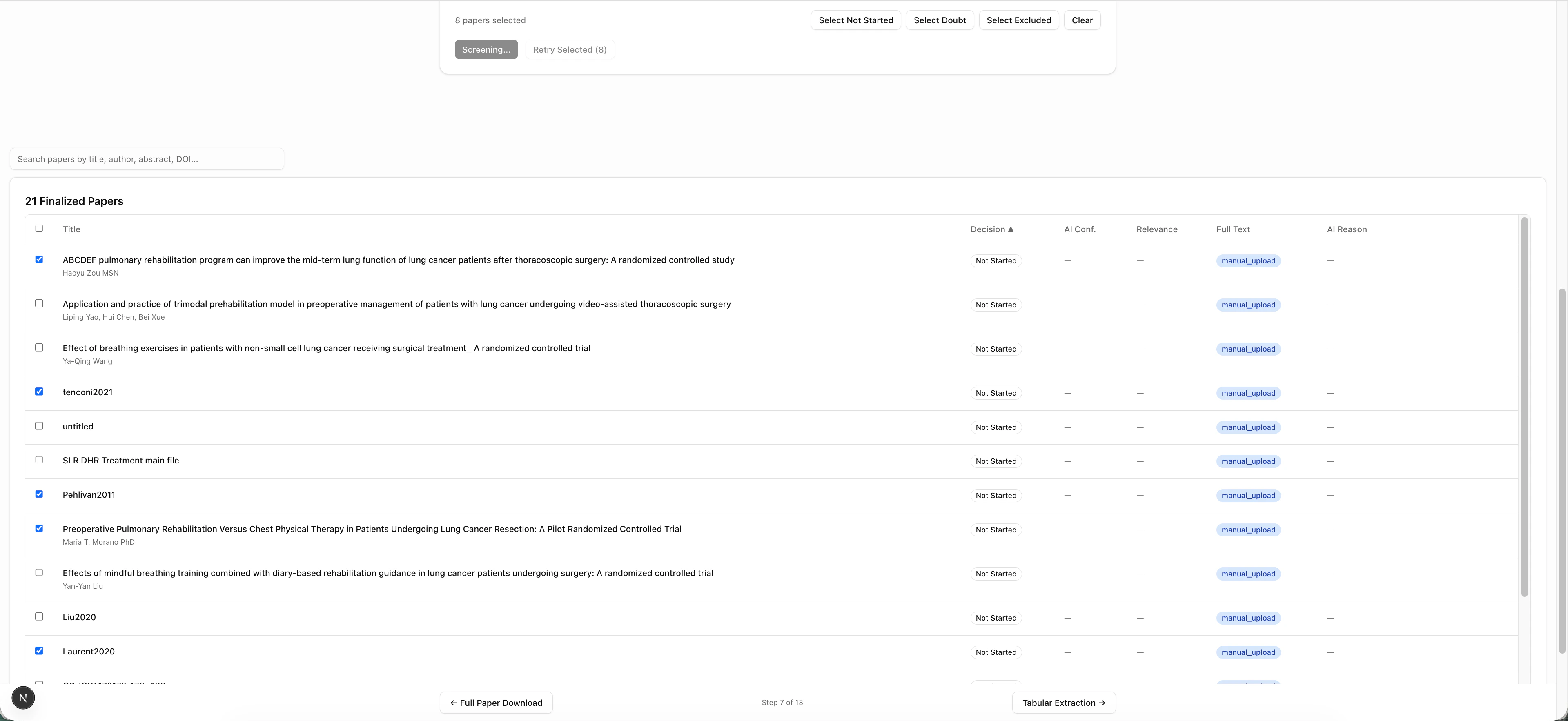
- Select Not Started / Doubt / Excluded — Filter papers by status
- Screening / Retry Selected — Re-screen specific papers
What the AI Analyzes
For each paper with a PDF, the AI:- Reads the entire document (not just the abstract)
- Evaluates relevance section by section (Methods, Results, Population, Intervention, Outcomes)
- Generates a relevance score (0-100)
- Provides section-by-section notes
- Cites specific passages as evidence