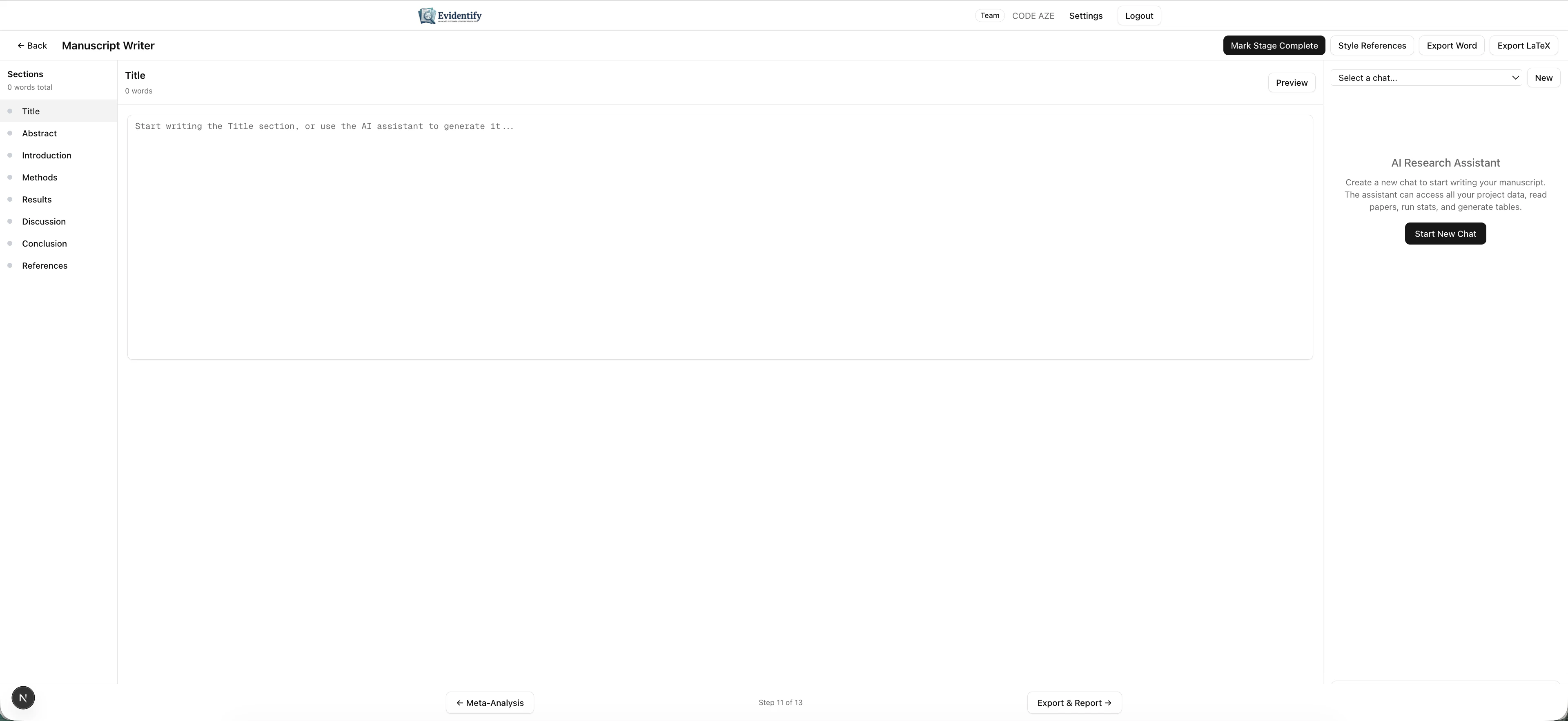
The Manuscript Writer is an AI co-pilot that helps you draft publication-ready manuscript sections. Powered by Claude (a more advanced model than screening), it can access your project data, run queries, and generate academic prose with proper citations.
The Editor
Navigate to AI Writer from your project dashboard.
Layout
The interface has three panels:
| Panel | Description |
|---|
| Sections (left) | Manuscript structure: Title, Abstract, Introduction, Methods, Results, Discussion, Conclusion, References |
| Editor (center) | Write and edit your manuscript content |
| AI Research Assistant (right) | Chat with the AI to generate, refine, or restructure content |
Section Navigation
Click any section in the left sidebar to navigate to it. Each section shows:
- Section name
- Word count
- Expand/collapse for sub-sections
Using the AI Research Assistant
Click Start New Chat to begin a conversation with the AI assistant.
The AI can:
- Generate draft sections — “Write the Results section based on my screening data and extraction tables”
- Access project data — It can query your papers, screening decisions, extractions, and quality assessments
- Run statistical summaries — “How many papers were included at each stage?”
- Generate tables — “Create a characteristics of included studies table”
- Insert citations — Automatically references your included papers
- Refine prose — “Make this paragraph more concise” or “Rewrite in passive voice”
Multi-Session Support
You can have multiple independent chat sessions. Select from the dropdown at the top right:
- New — Start a fresh conversation
- Select a chat — Resume a previous conversation
Export Options
| Format | Description |
|---|
| Export Word | Download as .docx for further editing |
| Export LaTeX | Download as .tex for LaTeX workflows |
| Style References | Format references in a specific citation style |
| Mark Stage Complete | Finalize the manuscript stage |
The AI remembers your full conversation within a session. You can iteratively refine a section across multiple messages — “Add more detail about the heterogeneity” or “Move the limitations paragraph to the end.”
What’s Next?
After drafting your manuscript, proceed to Export & Reporting for the final deliverables.