

Setting Up Screening
Navigate to TiAb Screening from your project dashboard.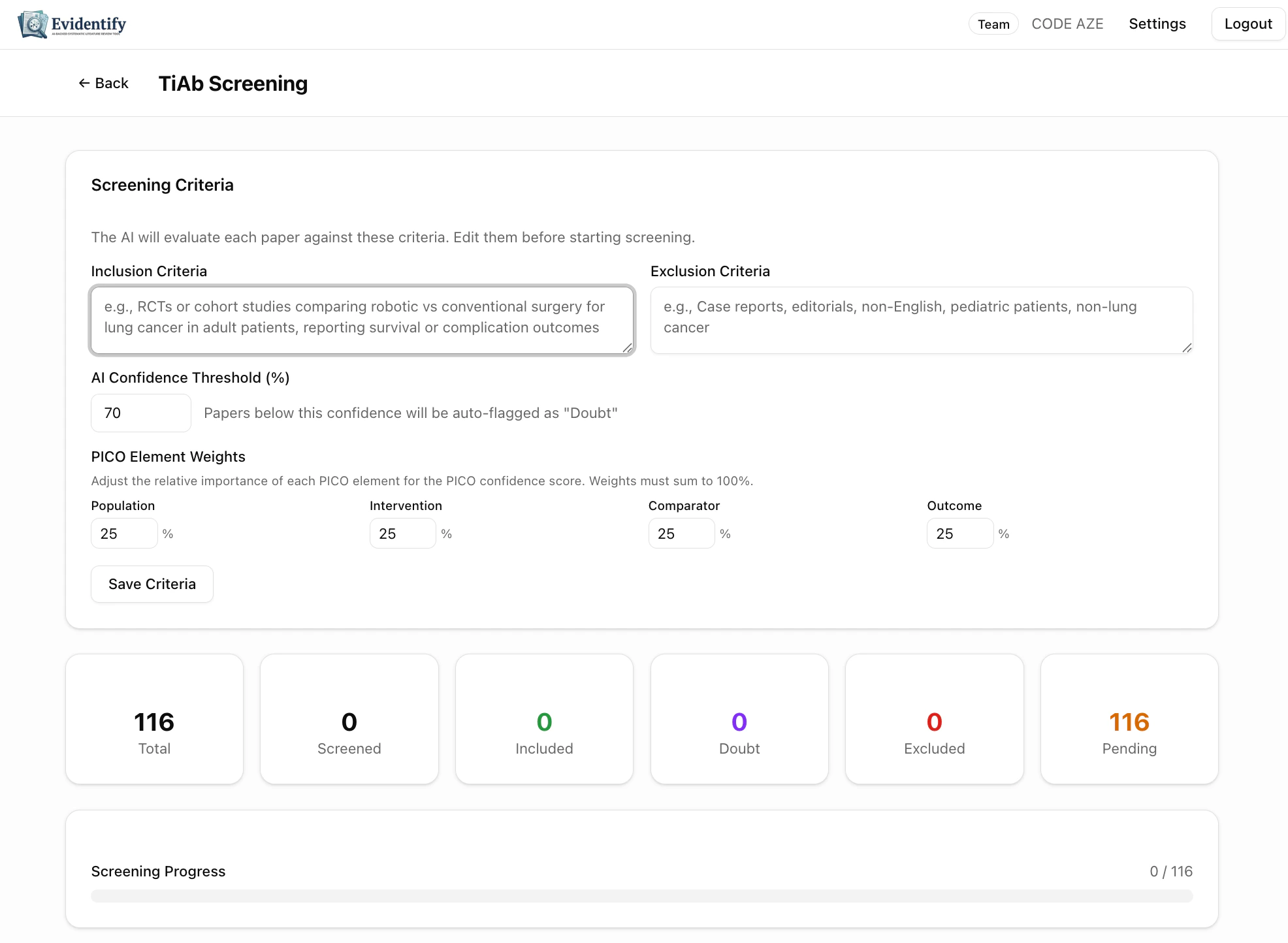
Configure Your Criteria
Before screening, review and customize:string
What types of studies to include. Pre-filled from your project settings but editable here.Example: “RCTs or cohort studies comparing robotic vs conventional surgery for lung cancer in adult patients, reporting survival or complication outcomes”
string
What to exclude from the review.Example: “Case reports, editorials, non-English, pediatric patients, non-lung cancer”
number
default:"70"
Papers below this confidence score are auto-flagged as “Doubt” for priority human review. Default is 70%.
object
Adjust the relative importance of each PICO element in the overall confidence score. All weights must sum to 100%.Default: Population 25%, Intervention 25%, Comparator 25%, Outcome 25%
Running AI Screening
The stats bar shows your screening progress in real-time: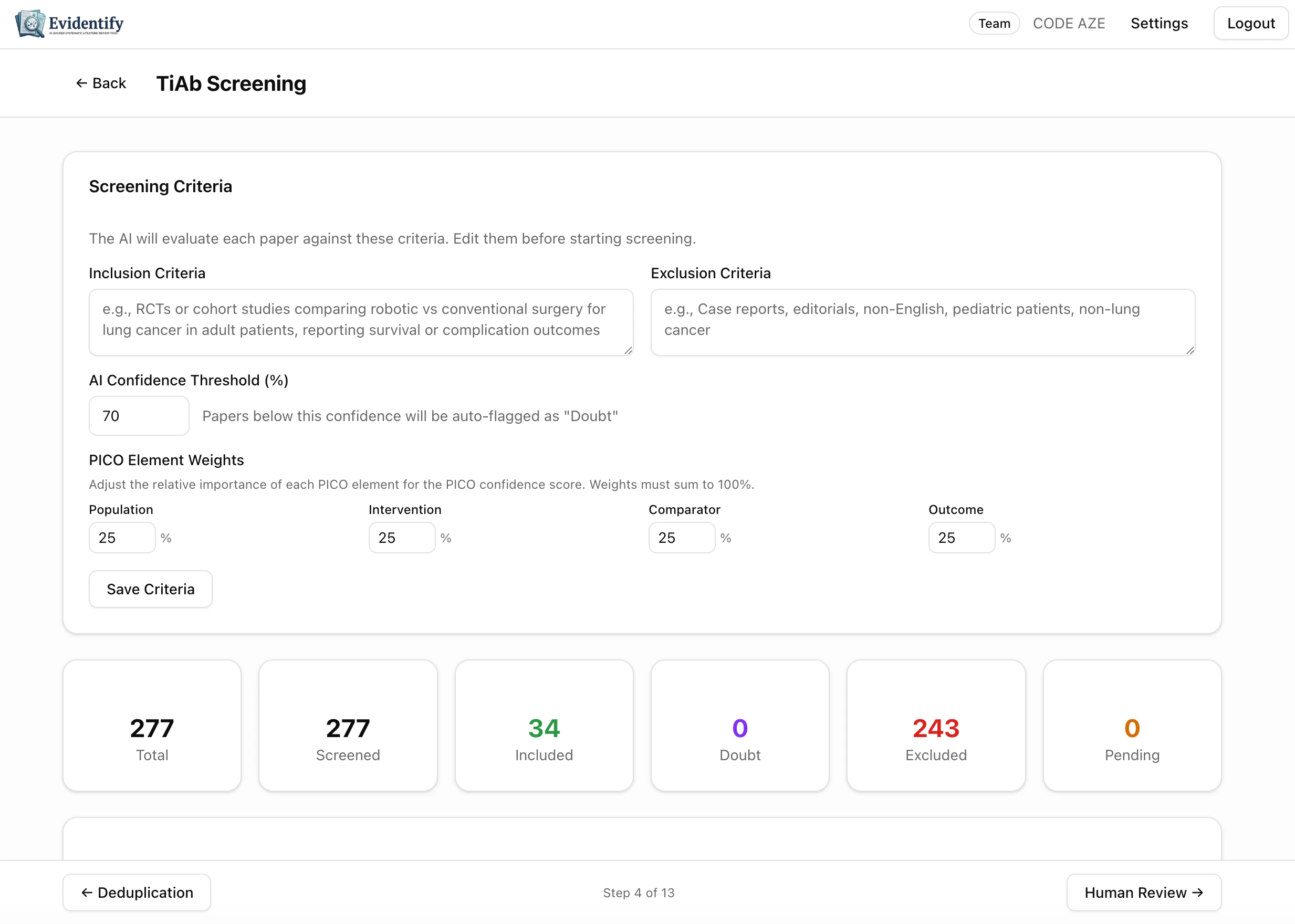
Click Screen All Pending to start. The AI processes papers in batches.
Understanding AI Decisions
Each paper gets a detailed, transparent decision.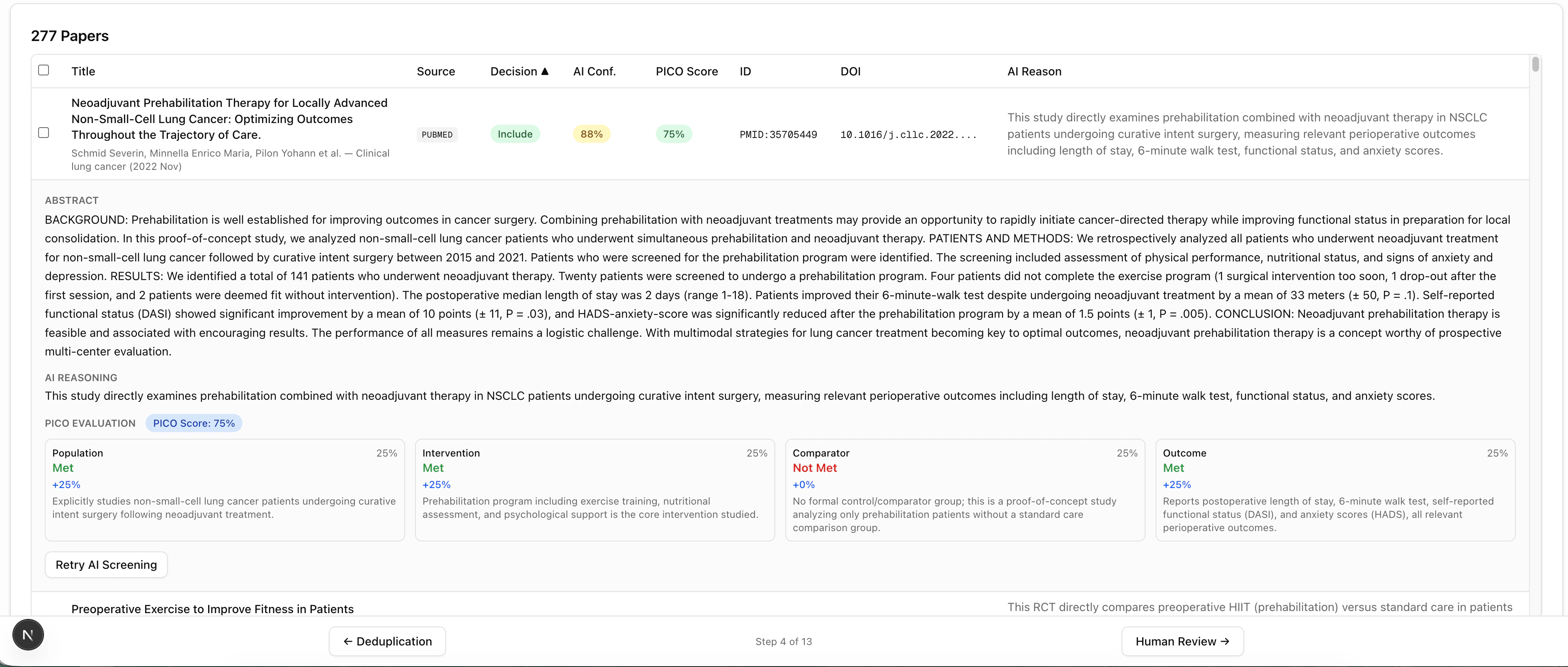
What the AI Shows for Each Paper
Decision (Include / Exclude)
Decision (Include / Exclude)
A clear recommendation. Colored tags make it easy to scan: green = include, red = exclude, orange = doubt.
AI Confidence (0-100%)
AI Confidence (0-100%)
How certain the AI is about its decision. Higher = more confident. Papers below your threshold are flagged as “Doubt” for priority review.
PICO Score
PICO Score
A composite score based on how well the paper matches each PICO element, weighted by your configured weights.
AI Reason
AI Reason
A plain-language explanation of why the paper was included or excluded, referencing specific parts of the title and abstract.
Expanded Paper View
Click any paper to expand its full details: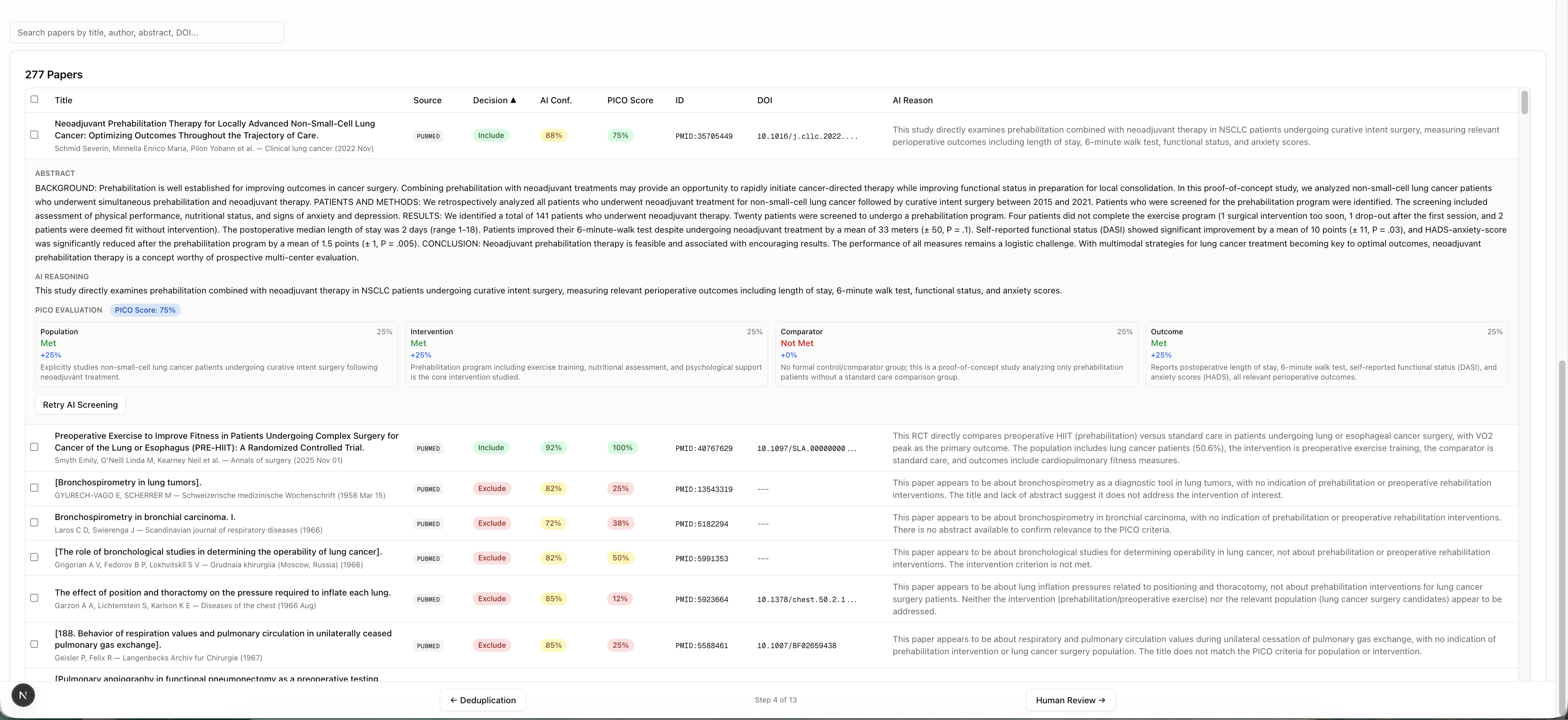
- Full abstract text
- Complete PICO evaluation — for each criterion, whether the paper met, partially met, or did not meet the requirement
- The AI’s detailed reasoning with specific references to the abstract content
Filtering & Searching
Use the toolbar above the paper list to: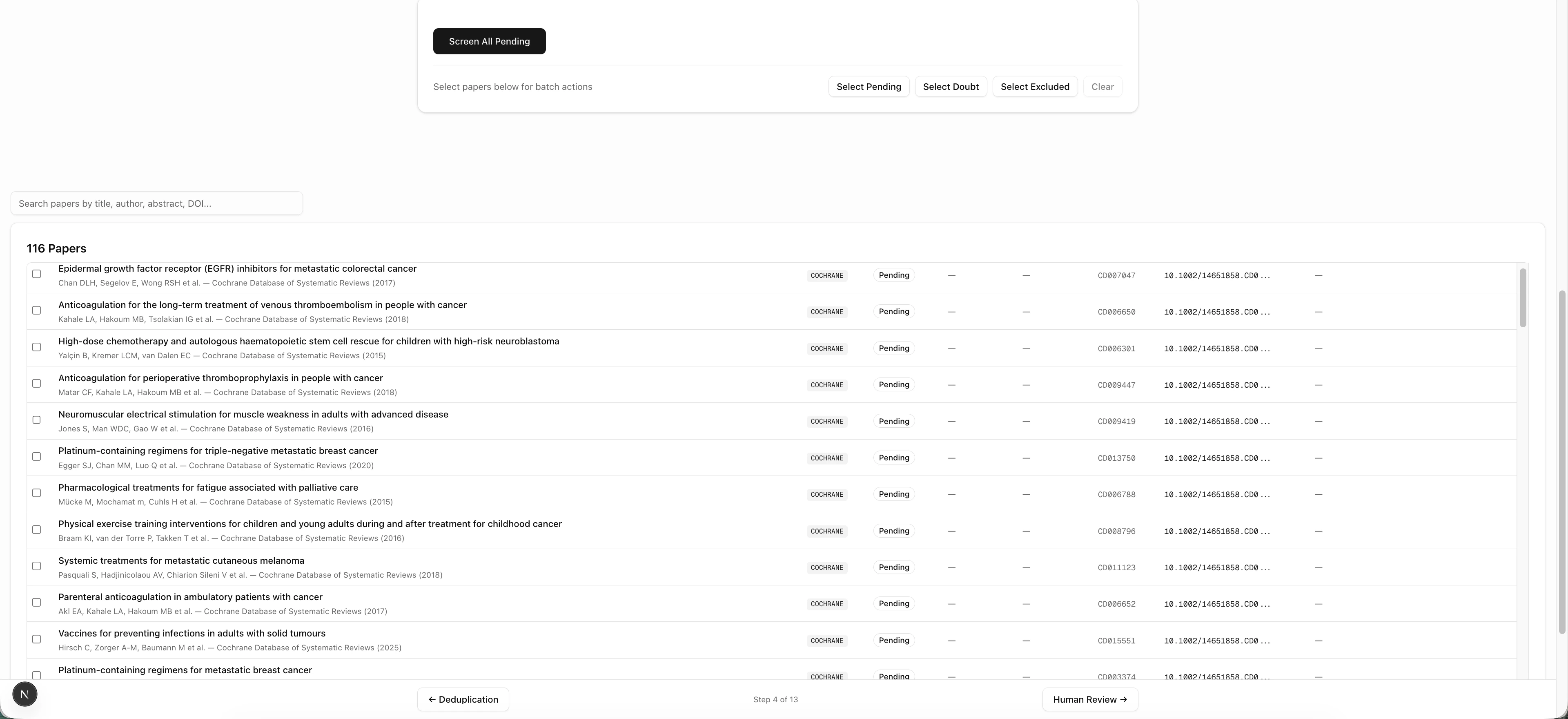
Batch Operations
- Screen All Pending — Screen all unscreened papers at once
- Retry Selected — Re-screen specific papers with updated criteria