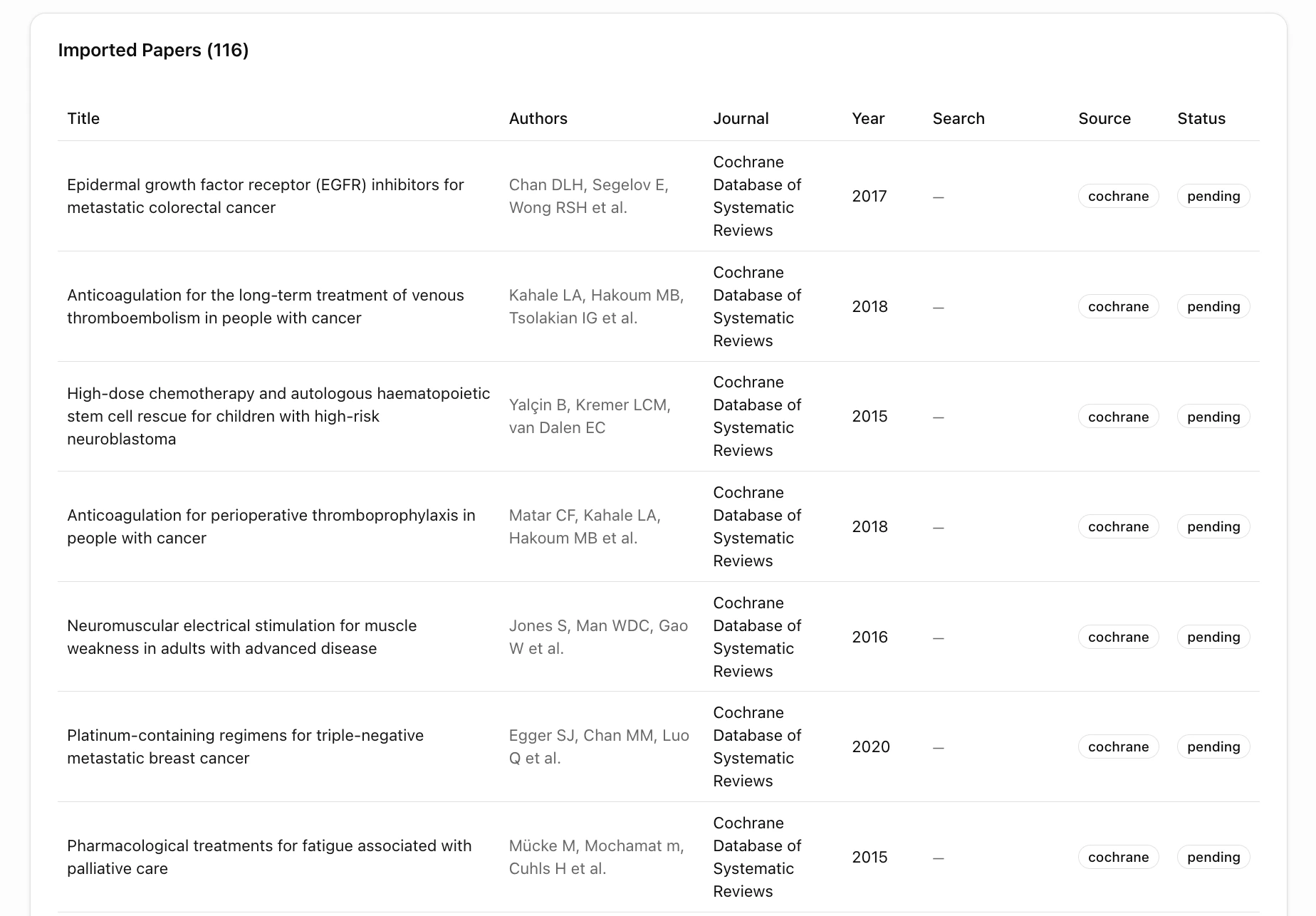
After generating your search strategy, import papers into your project. EviSyn supports both direct database searches and manual file uploads.

Upload Files

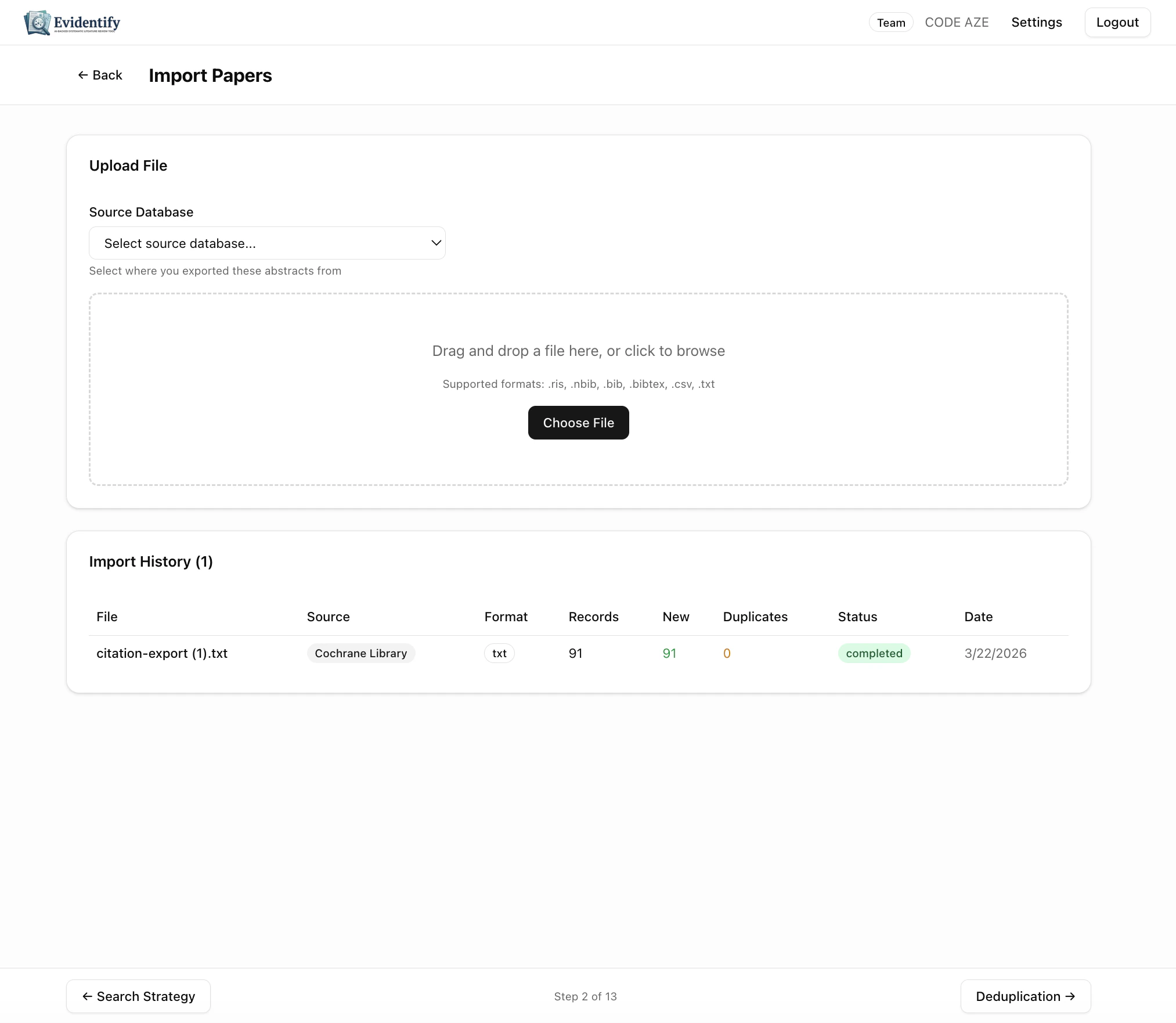
Navigate to Import Files from your project dashboard. Import papers page
Supported Formats

FormatExtensionCommon sources
RIS.risMost databases (Scopus, Web of Science, Cochrane)
BibTeX.bib, .bibtexLaTeX reference managers, Google Scholar
CSV.csvSpreadsheets, custom exports
Text.txtPlain text citation lists
NBIB.nbibPubMed exports

How to Upload

  1. Select the Source Database from the dropdown (e.g., Cochrane Library, PubMed, Scopus)
  2. Drag and drop your file into the upload zone, or click Choose File
  3. EviSyn parses the file and imports papers with metadata

Import History

The bottom section shows all previous imports with:
  • Filename and source database
  • Format detected
  • Records found, new papers added, duplicates detected
  • Status and date
Imported papers table

Browsing Your Papers

After import, browse your full paper library. Each paper shows:
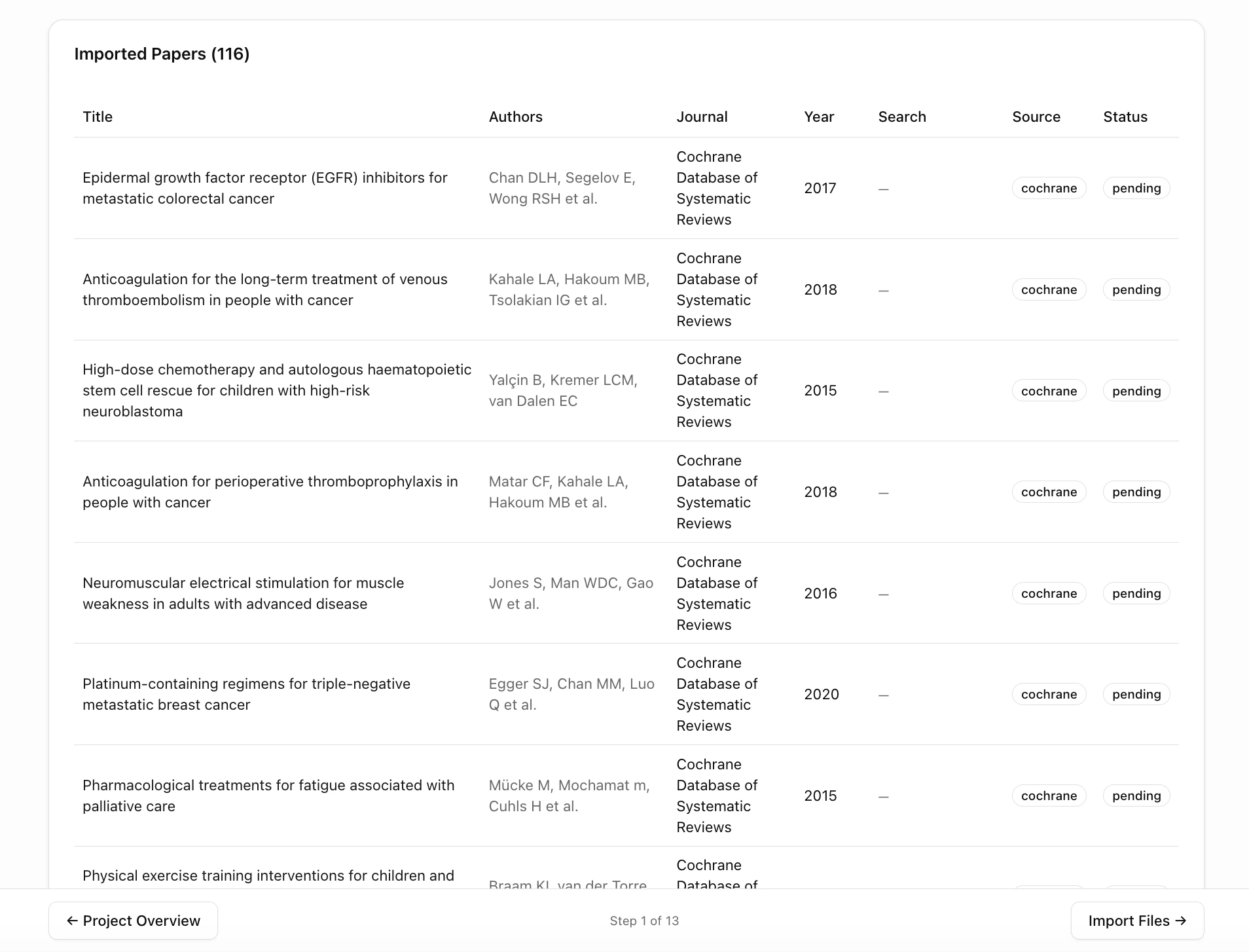
ColumnDescription
TitleFull paper title (click to expand details)
AuthorsAuthor list
JournalPublication journal
YearPublication year
SearchWhich search imported this paper
SourceOriginal database (PubMed, Cochrane, etc.)
StatusCurrent screening status (pending, included, excluded)
Papers with pagination
Use the navigation at the bottom to move between pages. Each page shows papers with full metadata.

What’s Next?

With papers imported, proceed to Deduplication to detect and resolve duplicate records.