

Step 1: Create an Account
Sign up at evisyn.grabmywork.com with your email. You’ll land on your My Projects dashboard.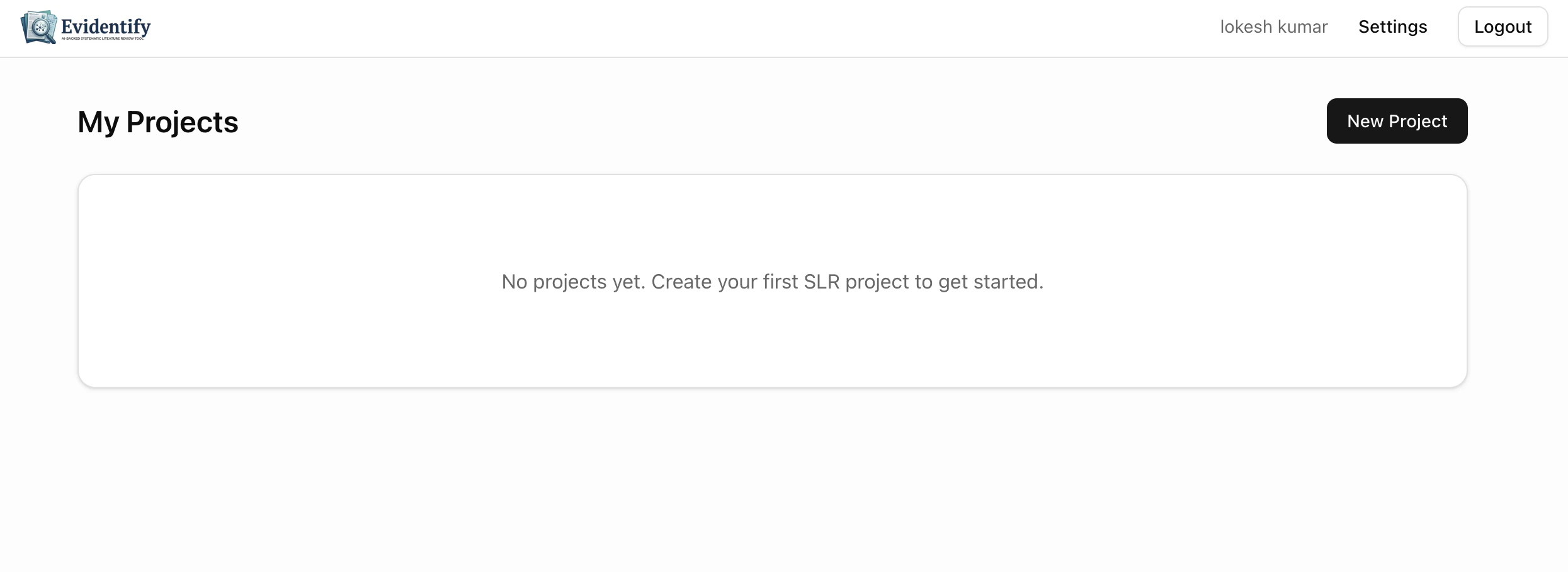
Step 2: Create a New Project
Click New Project and fill in: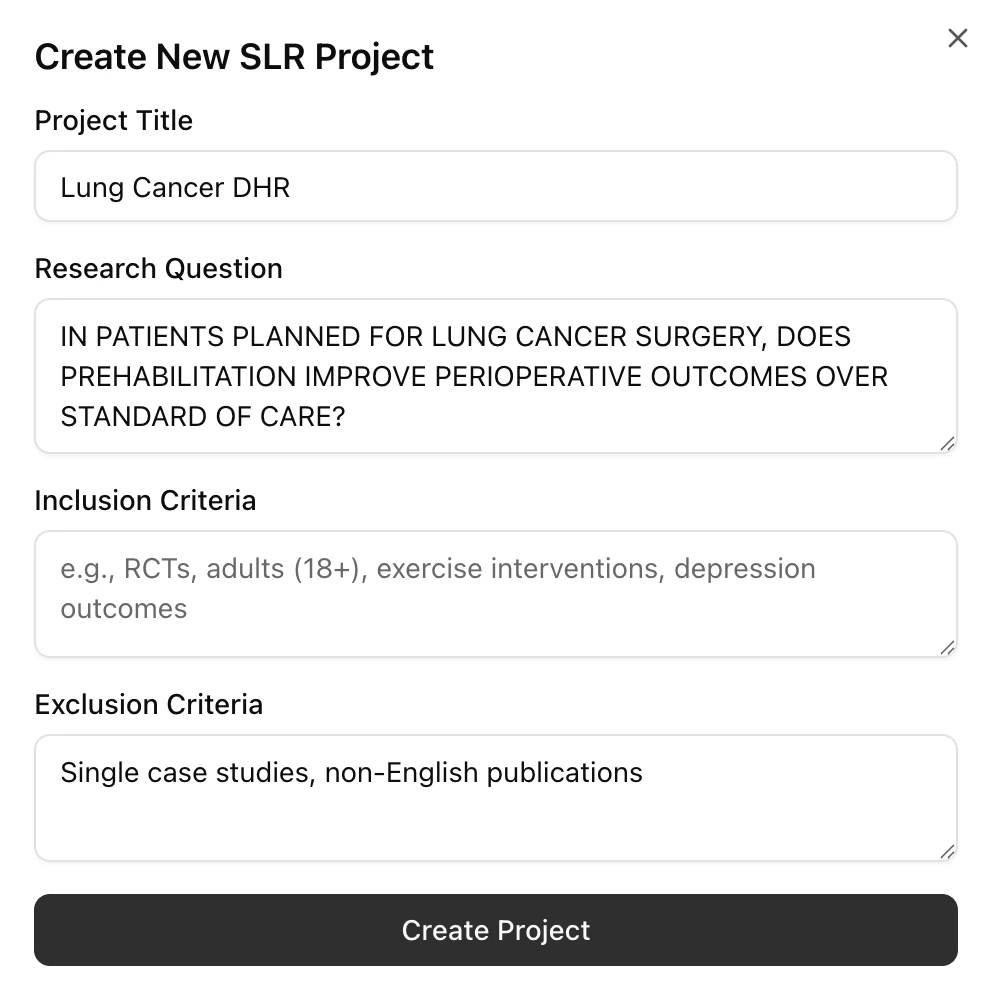
Click Create Project and you’ll be taken to your project overview.
Step 3: Your Project Dashboard
This is your home base. The dashboard shows all 13 workflow steps with progress tracking.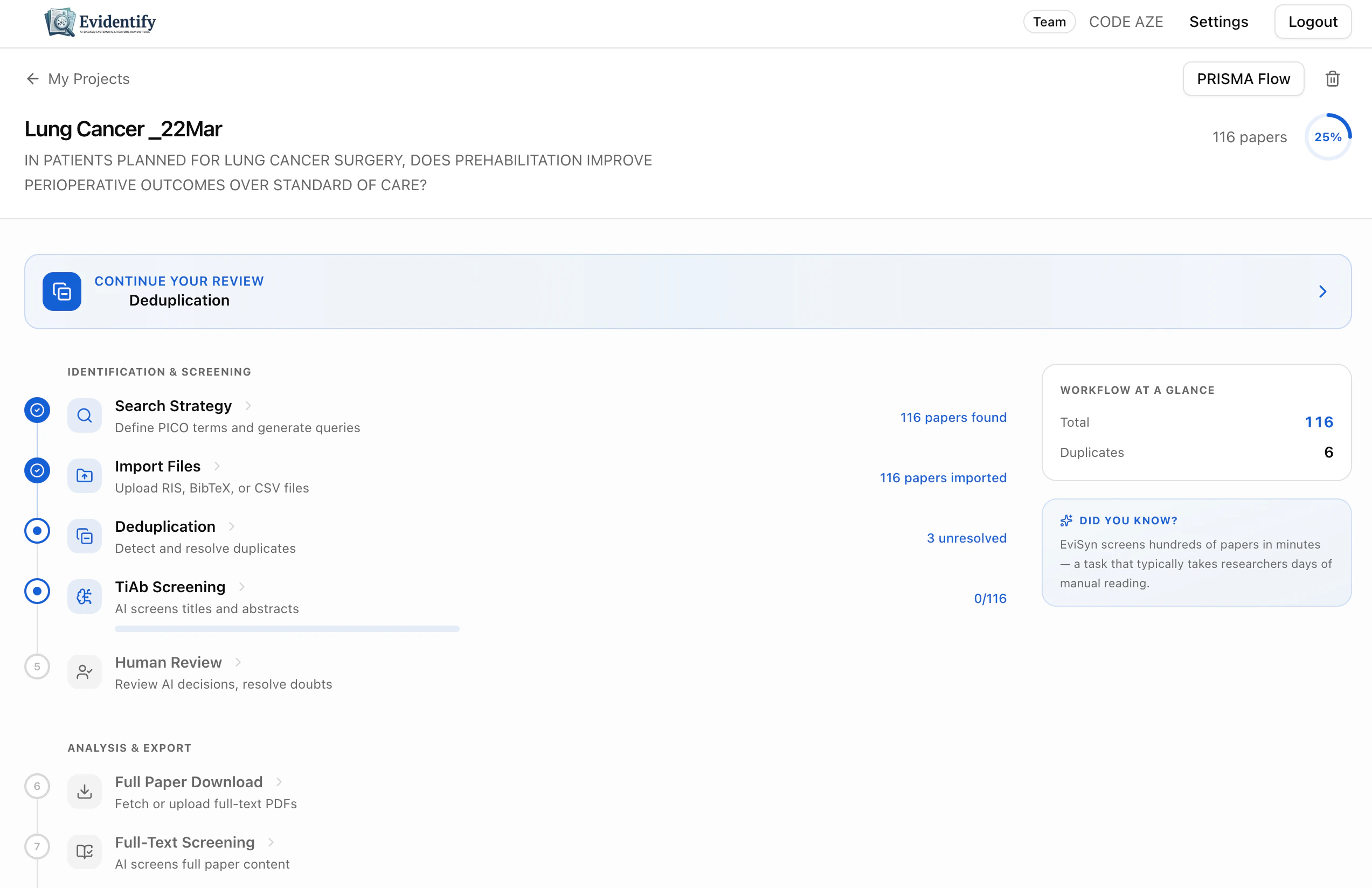
Step 4: Generate a Search Strategy
Click Search Strategy to have the AI build your search.- Your research question is pre-filled
- Choose your framework: PICO (Quantitative) or PICo (Qualitative)
- Select scope: Broad or Narrow
- Pick target databases (PubMed is available on all plans)
- Click Generate PICO Strategy (AI)
Step 5: Import Papers
You can either:- Execute a PubMed search directly from the search strategy page
- Upload files (RIS, BibTeX, CSV, TXT) from any database you’ve searched manually
Step 6: Screen with AI
Navigate to TiAb Screening and click Screen All Pending. The AI will evaluate every paper’s title and abstract against your criteria. Within minutes, you’ll have include/exclude decisions with confidence scores and reasoning for every paper.What’s Next?
Full Workflow Guide
Understand every step in detail
AI Screening
Deep dive into AI screening features
Plans & Billing
Upgrade to unlock more features
Teams
Invite collaborators to your review