> ## Documentation Index
> Fetch the complete documentation index at: https://docs-evisyn.grabmywork.com/llms.txt
> Use this file to discover all available pages before exploring further.
# Plans & Billing
> Choose the right plan for your team and manage your subscription
EviSyn offers a **freemium model** — start for free and upgrade as your review grows.
## Plans Overview
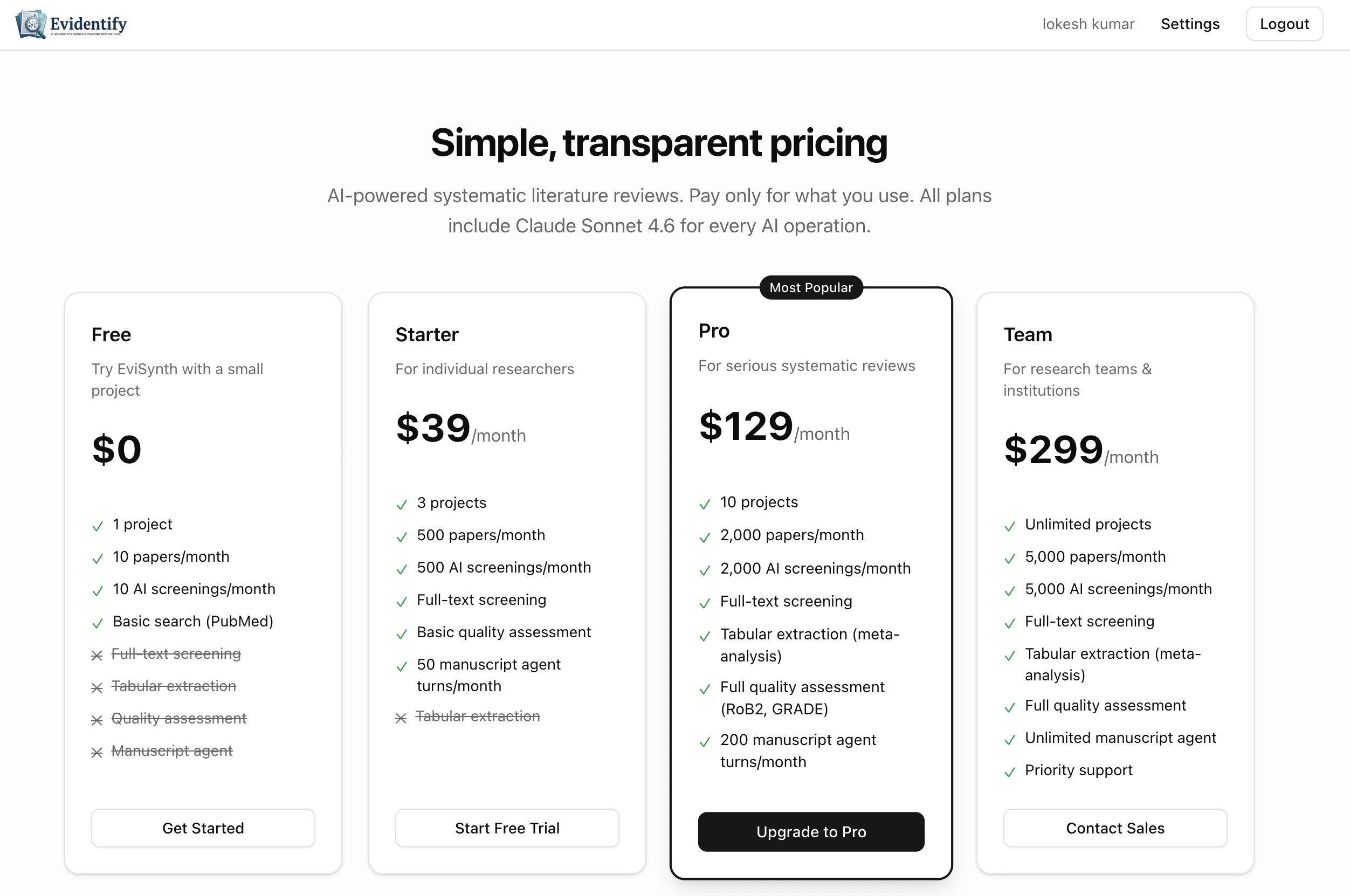 | Feature | Free | Starter | Pro | Team |
| ----------------------- | ------ | ------- | -------- | --------- |
| **Price** | \$0/mo | \$39/mo | \$129/mo | \$299/mo |
| **Projects** | 1 | 3 | 10 | Unlimited |
| **Papers/month** | 10 | 500 | 2,000 | 5,000 |
| **AI Screenings/month** | 10 | 500 | 2,000 | 5,000 |
| **Full-text Screening** | No | Yes | Yes | Yes |
| **Manuscript Turns** | N/A | 50 | 200 | Unlimited |
| **Tabular Extraction** | No | No | Yes | Yes |
| **Quality Assessment** | N/A | Basic | Full | Full |
The **Free plan** includes 1 project, 10 papers/month, and 10 AI screenings — enough to explore the full workflow end-to-end.
## Managing Your Subscription
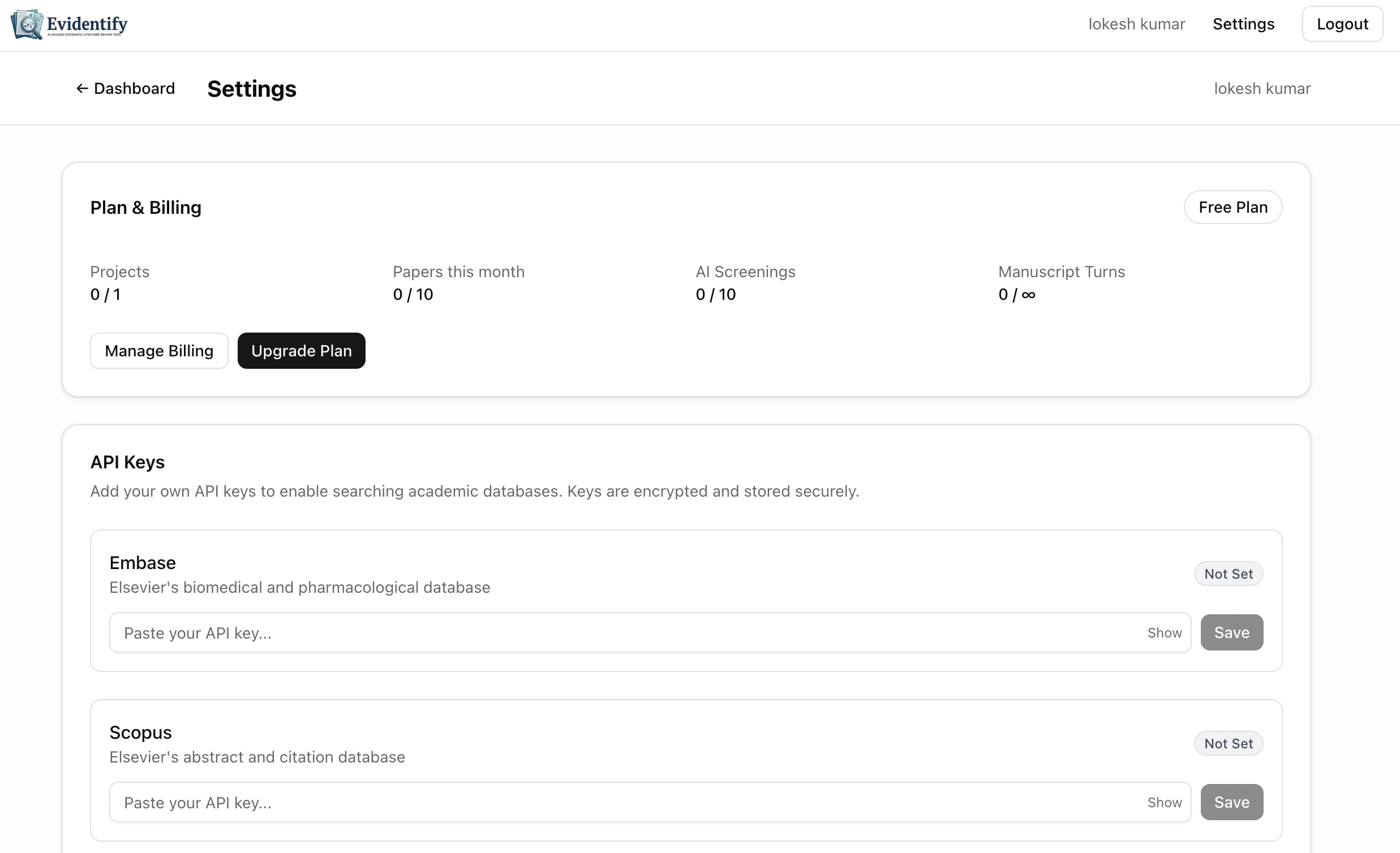
Navigate to **Settings > Plan & Billing** to view your current plan, usage, and upgrade options.
| Feature | Free | Starter | Pro | Team |
| ----------------------- | ------ | ------- | -------- | --------- |
| **Price** | \$0/mo | \$39/mo | \$129/mo | \$299/mo |
| **Projects** | 1 | 3 | 10 | Unlimited |
| **Papers/month** | 10 | 500 | 2,000 | 5,000 |
| **AI Screenings/month** | 10 | 500 | 2,000 | 5,000 |
| **Full-text Screening** | No | Yes | Yes | Yes |
| **Manuscript Turns** | N/A | 50 | 200 | Unlimited |
| **Tabular Extraction** | No | No | Yes | Yes |
| **Quality Assessment** | N/A | Basic | Full | Full |
The **Free plan** includes 1 project, 10 papers/month, and 10 AI screenings — enough to explore the full workflow end-to-end.
## Managing Your Subscription
Navigate to **Settings > Plan & Billing** to view your current plan, usage, and upgrade options.
 ### Usage Tracking
Your usage is tracked per calendar month. The settings page shows progress bars for each metric:
* **Papers imported** — Total papers added this month
* **AI screenings** — AI screening decisions used
* **Full-text screenings** — Full-text screening decisions used
* **Manuscript turns** — AI manuscript chat turns used
### Usage Tracking
Your usage is tracked per calendar month. The settings page shows progress bars for each metric:
* **Papers imported** — Total papers added this month
* **AI screenings** — AI screening decisions used
* **Full-text screenings** — Full-text screening decisions used
* **Manuscript turns** — AI manuscript chat turns used
 ### Upgrading Your Plan
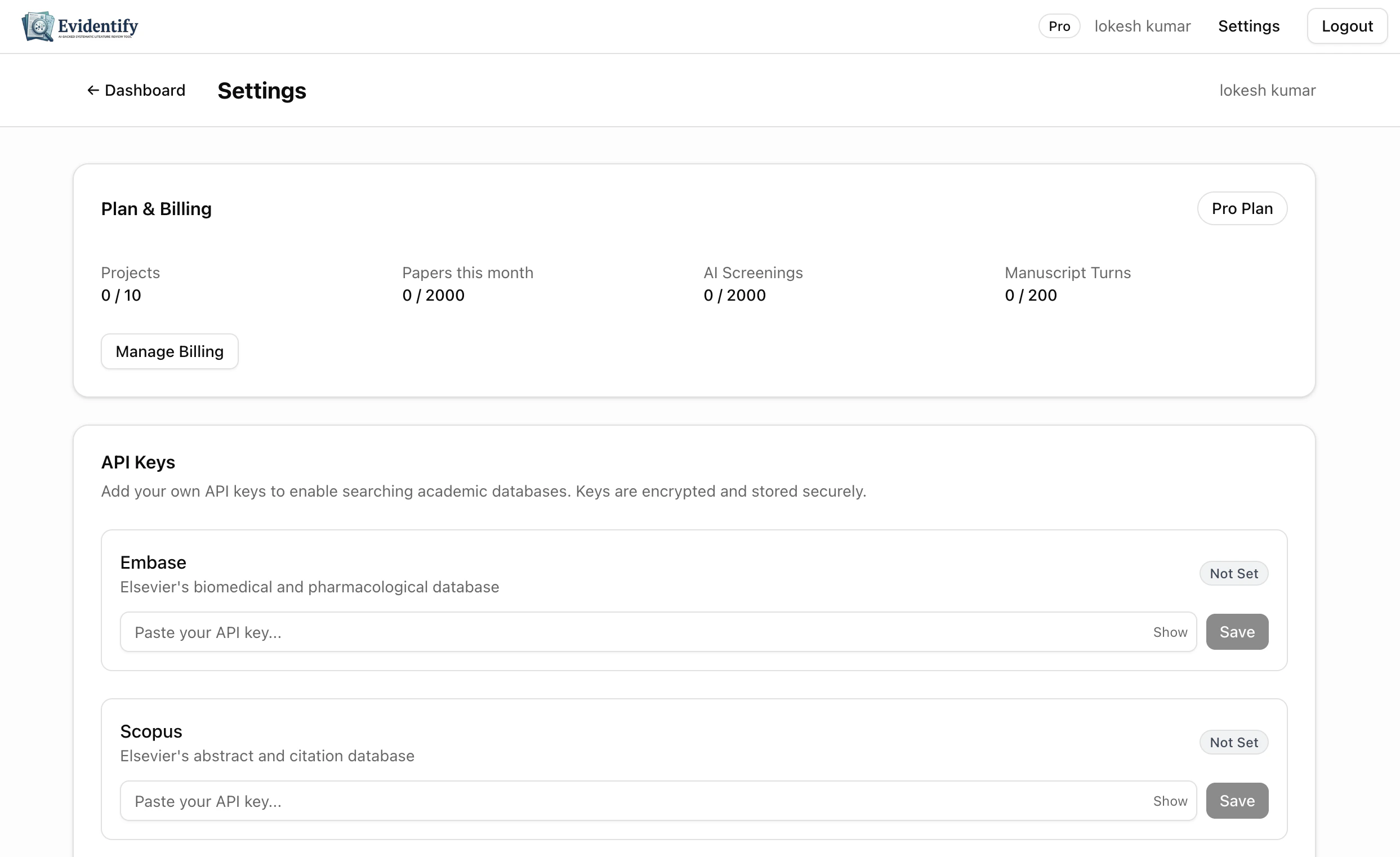
1. Go to **Settings > Plan & Billing**
2. Click **Upgrade Plan**
3. Select your desired plan from the pricing page
4. Complete payment through our secure checkout
5. Your new plan is activated immediately
### Upgrading Your Plan
1. Go to **Settings > Plan & Billing**
2. Click **Upgrade Plan**
3. Select your desired plan from the pricing page
4. Complete payment through our secure checkout
5. Your new plan is activated immediately
 ### Downgrading or Cancelling
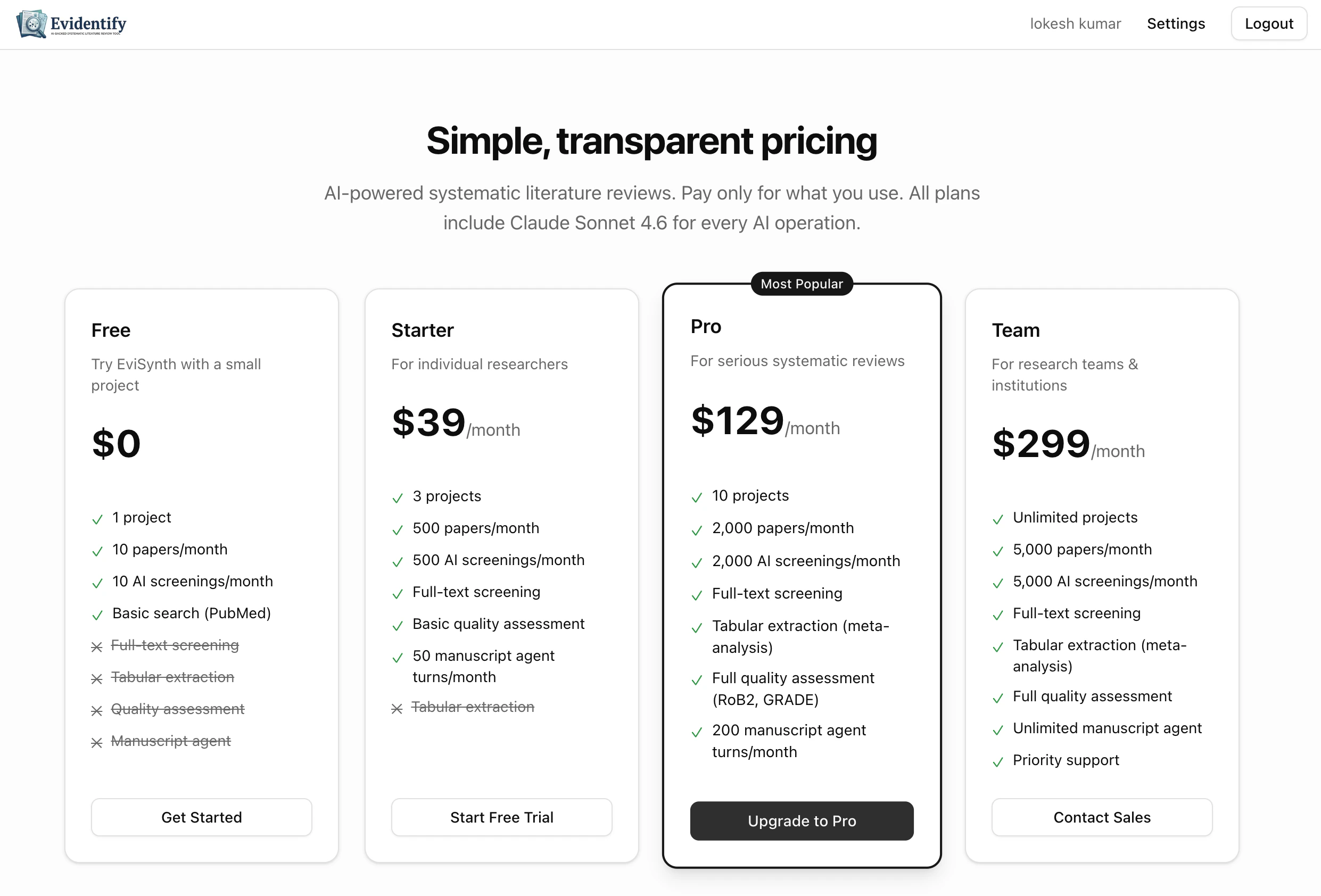
* **Downgrade**: Click **Manage Billing** in settings to switch to a lower plan. Changes take effect at the end of your current billing period.
* **Cancel**: Your subscription will remain active until the end of the billing period, then automatically downgrade to Free.
Downgrading may reduce your project and paper limits. Existing data is preserved, but you won't be able to create new projects or import papers beyond your new plan's limits.
## What Happens When You Hit a Limit?
When you reach a usage limit (e.g., papers imported this month), EviSyn will show a prompt to upgrade your plan. Your existing work is never affected — you simply need to upgrade or wait for the next billing period to continue.
## Plan Badge
Your current plan is shown as a badge in the top navigation bar. Click it to go directly to billing settings.
### Downgrading or Cancelling
* **Downgrade**: Click **Manage Billing** in settings to switch to a lower plan. Changes take effect at the end of your current billing period.
* **Cancel**: Your subscription will remain active until the end of the billing period, then automatically downgrade to Free.
Downgrading may reduce your project and paper limits. Existing data is preserved, but you won't be able to create new projects or import papers beyond your new plan's limits.
## What Happens When You Hit a Limit?
When you reach a usage limit (e.g., papers imported this month), EviSyn will show a prompt to upgrade your plan. Your existing work is never affected — you simply need to upgrade or wait for the next billing period to continue.
## Plan Badge
Your current plan is shown as a badge in the top navigation bar. Click it to go directly to billing settings.