> ## Documentation Index
> Fetch the complete documentation index at: https://docs-evisyn.grabmywork.com/llms.txt
> Use this file to discover all available pages before exploring further.
# Data Extraction
> AI-powered structured data extraction with custom templates
Data extraction pulls specific information from each included paper into structured, analyzable tables. EviSyn lets you define custom extraction templates and uses AI to populate them automatically.
## Creating an Extraction Template
Navigate to **Tabular Extraction** from your project dashboard.
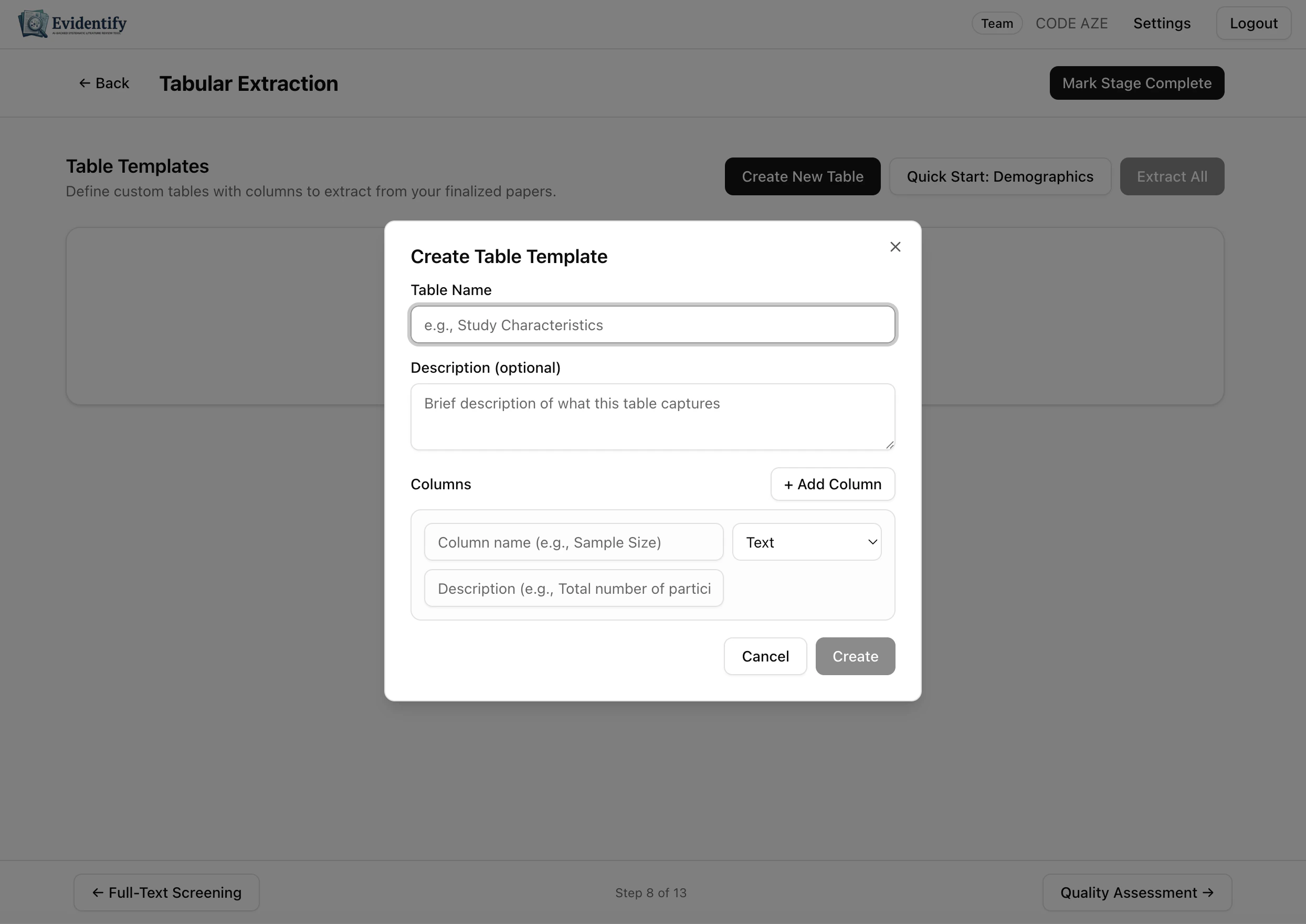 Click **Create New Table** to define your extraction template.
### Template Builder
Click **Create New Table** to define your extraction template.
### Template Builder
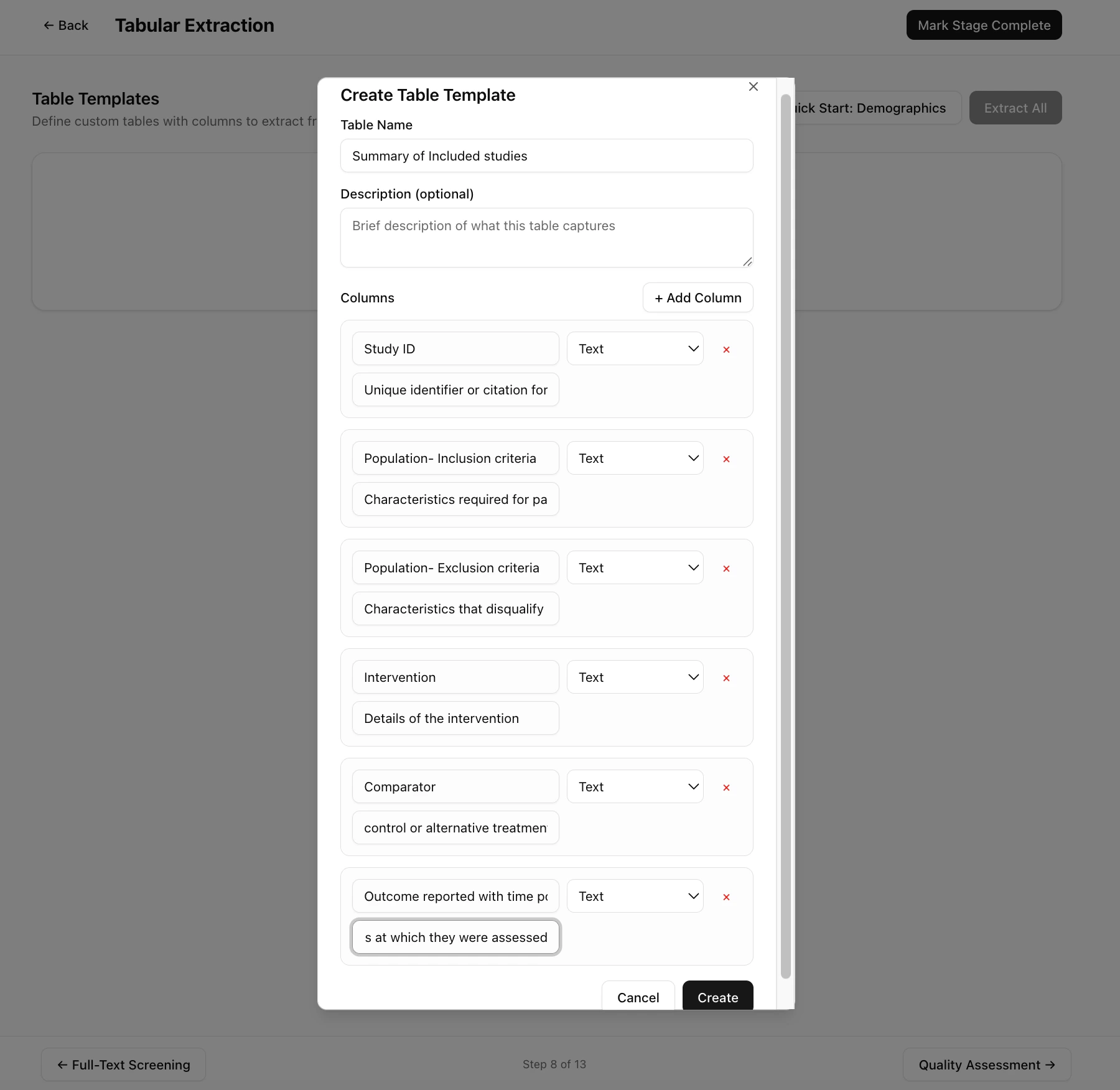 Define the data you want to extract:
| Field | Description |
| --------------- | ------------------------------------------------------ |
| **Table Name** | Descriptive name (e.g., "Summary of Included Studies") |
| **Description** | Optional: what this table captures |
| **Columns** | The data fields to extract from each paper |
### Adding Columns
For each column, specify:
* **Column Name** — The data field (e.g., "Study ID", "Population", "Intervention")
* **Data Type** — Text, Number, or other types
* **Description** — What to extract (helps the AI understand what you need)
Click **+ Add Column** to add more fields.
Use the **Quick Start: Demographics** button to auto-populate a template with common demographic extraction fields.
### Example Template
A typical "Summary of Included Studies" template might include:
| Column | Description |
| --------------------------------- | ----------------------------------------------- |
| Study ID | Unique identifier or citation |
| Population - Inclusion criteria | Characteristics required for participation |
| Population - Exclusion criteria | Characteristics that disqualify |
| Intervention | Details of the intervention |
| Comparator | Control or alternative treatment |
| Outcome reported with time points | Results at which time points they were assessed |
## Running AI Extraction
After creating your template:
Define the data you want to extract:
| Field | Description |
| --------------- | ------------------------------------------------------ |
| **Table Name** | Descriptive name (e.g., "Summary of Included Studies") |
| **Description** | Optional: what this table captures |
| **Columns** | The data fields to extract from each paper |
### Adding Columns
For each column, specify:
* **Column Name** — The data field (e.g., "Study ID", "Population", "Intervention")
* **Data Type** — Text, Number, or other types
* **Description** — What to extract (helps the AI understand what you need)
Click **+ Add Column** to add more fields.
Use the **Quick Start: Demographics** button to auto-populate a template with common demographic extraction fields.
### Example Template
A typical "Summary of Included Studies" template might include:
| Column | Description |
| --------------------------------- | ----------------------------------------------- |
| Study ID | Unique identifier or citation |
| Population - Inclusion criteria | Characteristics required for participation |
| Population - Exclusion criteria | Characteristics that disqualify |
| Intervention | Details of the intervention |
| Comparator | Control or alternative treatment |
| Outcome reported with time points | Results at which time points they were assessed |
## Running AI Extraction
After creating your template:
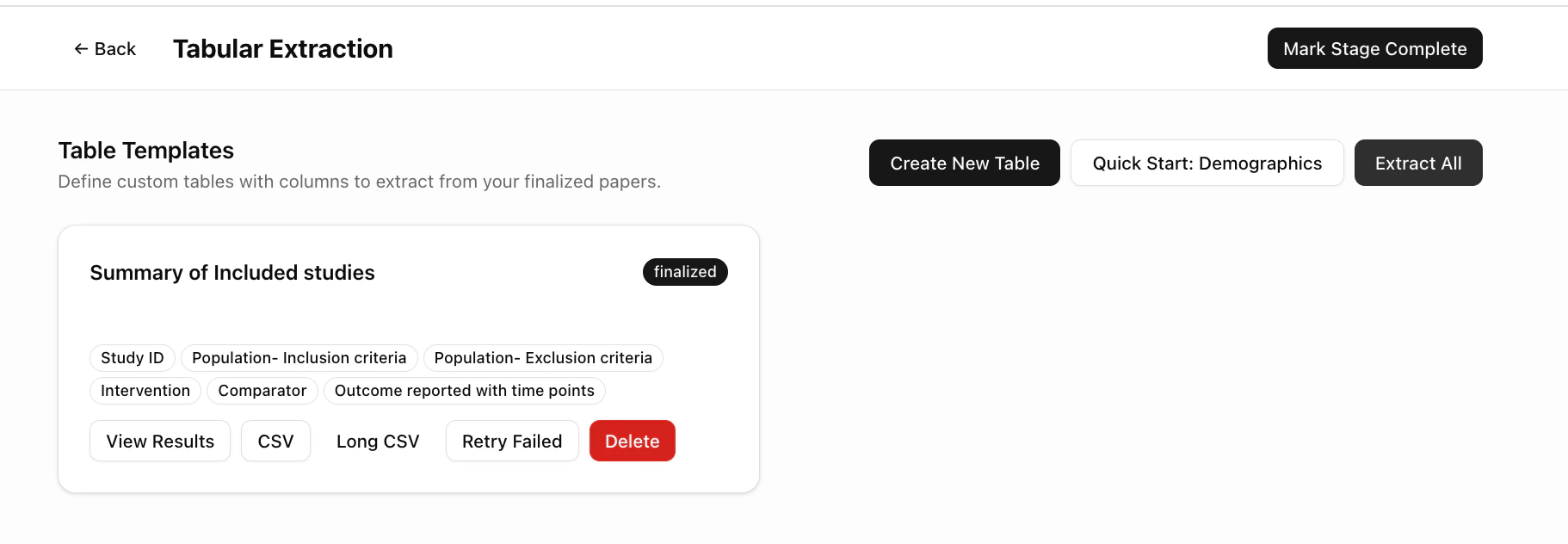 1. Click **Extract All** to run AI extraction on all finalized papers
2. The AI reads each paper's full text and fills in every column
3. Results appear in a structured table
### Side-by-Side Review
Click **View Results** to see the extraction table alongside the source PDFs.
1. Click **Extract All** to run AI extraction on all finalized papers
2. The AI reads each paper's full text and fills in every column
3. Results appear in a structured table
### Side-by-Side Review
Click **View Results** to see the extraction table alongside the source PDFs.
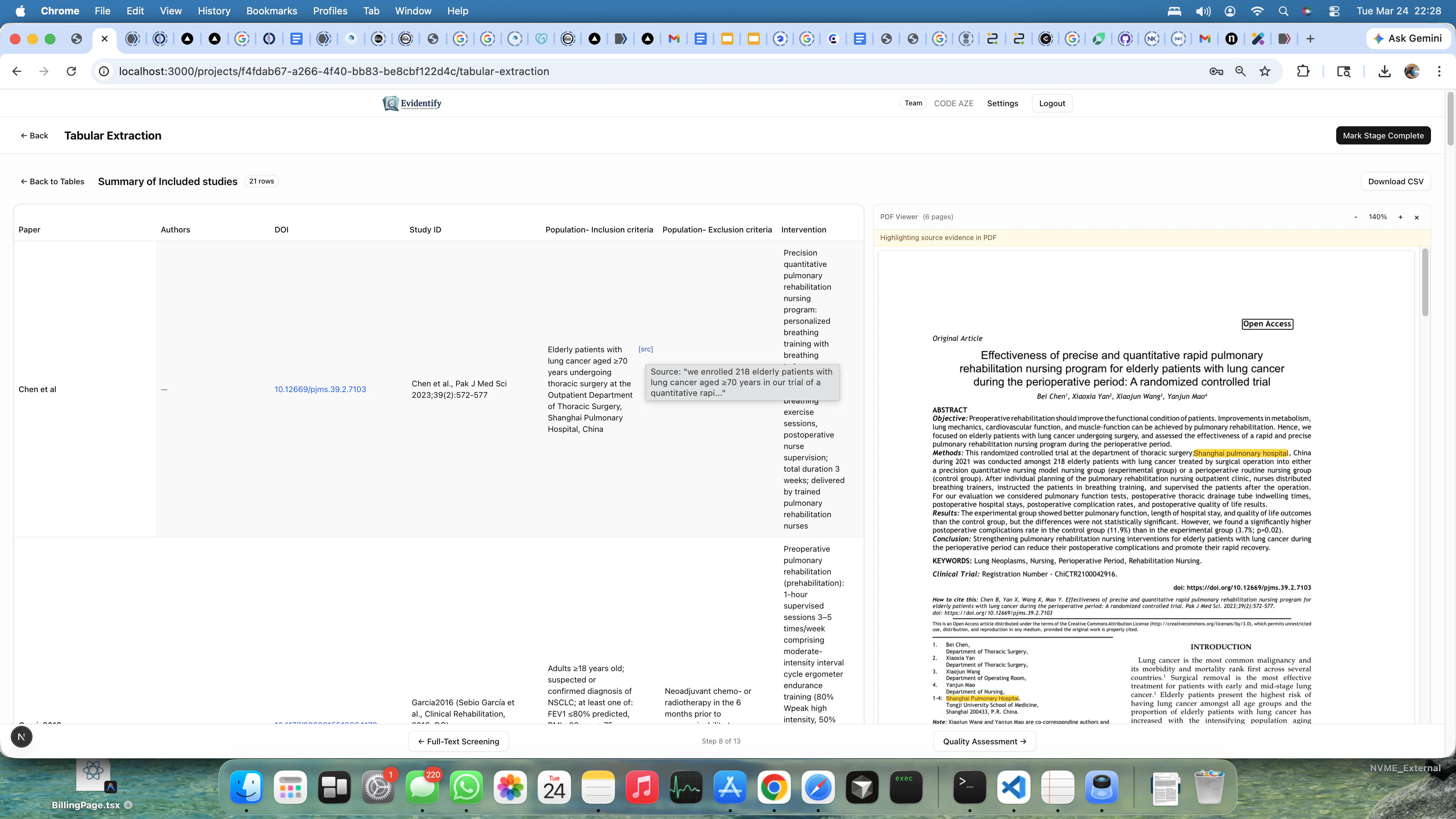 The split view shows:
* **Left side** — Extracted data in table format
* **Right side** — The source PDF with highlighted passages
This lets you verify each extraction against the original paper.
### Managing Results
| Action | Description |
| ---------------- | ---------------------------------------------- |
| **View Results** | See the full extraction table |
| **CSV** | Export as CSV for spreadsheet analysis |
| **Long CSV** | Export in long format (one row per data point) |
| **Retry Failed** | Re-extract papers where AI extraction failed |
| **Delete** | Remove this template and its extractions |
## What's Next?
After data extraction, proceed to [Quality Assessment](/user-guide/quality-assessment) to evaluate the risk of bias in your included studies.
The split view shows:
* **Left side** — Extracted data in table format
* **Right side** — The source PDF with highlighted passages
This lets you verify each extraction against the original paper.
### Managing Results
| Action | Description |
| ---------------- | ---------------------------------------------- |
| **View Results** | See the full extraction table |
| **CSV** | Export as CSV for spreadsheet analysis |
| **Long CSV** | Export in long format (one row per data point) |
| **Retry Failed** | Re-extract papers where AI extraction failed |
| **Delete** | Remove this template and its extractions |
## What's Next?
After data extraction, proceed to [Quality Assessment](/user-guide/quality-assessment) to evaluate the risk of bias in your included studies.